Some Problems With Corrupted Memory Card

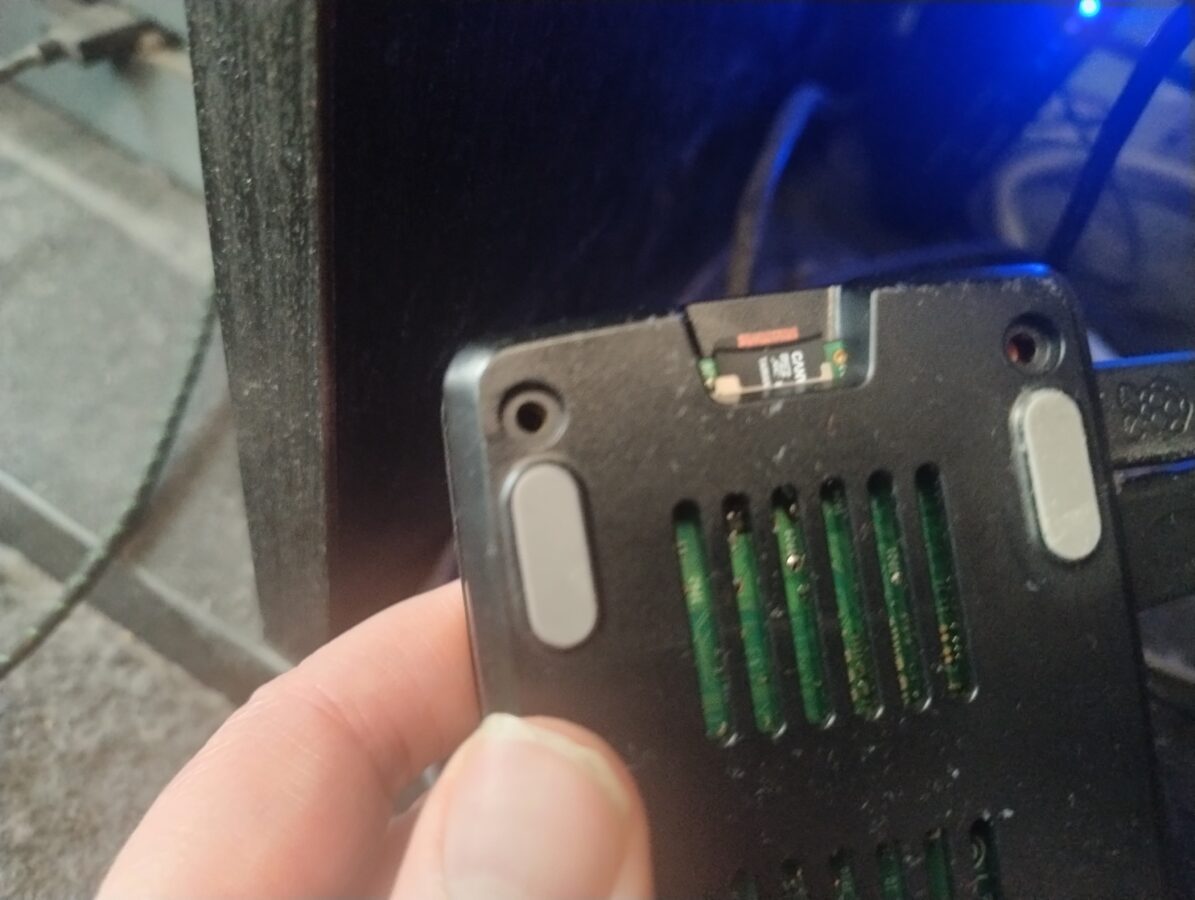
I have had some problems with my Raspberry Pi 5 and its memory card. I have Recalbox installed on my Raspberry Pi. The problems started when I turned the power off from the button that this Raspberry Pi 5 has while it was running a game. This corrupted my memory card. Luckily it was quite easy to fix this problem once I got to understand what should I do to fix this matter.

So, the problem was that Raspberry Pi 5 wasn’t starting. The screen wasn’t detected and my television didn’t display anything. I had to search for some guidance which is nowadays easy. You just have to use a search engine that also preferably has a mode in which you can utilize some AI power. I first thought that I would try to run some commands directly from SSH connection. I tried to run this Linux command (“fsck”) but I couldn’t get it to work. I would have needed to unmount the memory card first and then I would’ve had to run that command.

I didn’t feel so confident trying to unmount the memory card. Luckily the filesystem that Recalbox uses is compatible with Windows. I found out that it would be possible to run a Windows command (“chkdsk”). The filesystem of a boot partition in my memory card was FAT32 and the other partition had a exFAT filesystem. I first only repaired the FAT32 partition. I obviously had removed the memory card and inserted it in my Windows PC. Now I inserted the card back to my Raspberry Pi. Of course it didn’t load. However there was a picture.

What I had to do was to also repair the larger partition of this memory card that had the exFAT filesystem. So, after I had repaired both of these partitions, the Recalbox system now started just as it did before the memory card became corrupted. So, the problem was eventually fixed.

The memory card of a Raspberry Pi is quite vulnerable and it can get corrupted easily if you switch the power off in a wrong way. You can also access your Recalbox system by opening a web browser on a computer that is connected to your apartments nertwork and going to address: “recalbox.local”. This enables you to for example restart and shut down your Recalbox system.

I recommend to use for storing your roms and bios files some other way than just a memory card. I have a 512GB USB stick that stores currenlty all my data that is used in Recalbox. This is just huge enough for some older game roms like PS1, Mega Drive and NES just to give you an idea. I have another device that I run some newer retro games, like GameCube and original Xbox, that has a bit more power and also more storage space. A Raspberry Pi 5 isn’t so powerful that you could run for example Xbox games on it. My other device doesn’t however run Xbox 360 or PS3 games. This would require a bit more power.

So, my usage of Raspberry Pi 5 continues. I have been waiting some more news also about Valve’s Steam Machine. It would be a considerable part of my setup in the future. It would provide some power for playing retro games with emulation. We just have to wait for the announcement of price and release date. I am also dreaming about purchasing a PS5 console to empower my gaming setup even more.

The problem has now been fixed. Recalbox for Raspberry Pi 5 uses these two types of filesystems that are very much compatible also with Windows along with the compatiblity with Linux systems. It was eventually easy to fix this issue. Everything now works with this device as it did already some time ago.

Is Sega Saturn Worth Your Time?

The story of Sega Saturn is, might I say, interesting. It was released in 1994 in Japan and in 1995 in Europe and North America. So, it was a competitor of the first PlayStation gaming console. To begin with Sony made its consoles price a bit lower. It had an edge because Saturn had already been released when the talks began about PlayStation and its pricing. If we look at sales numbers we can see that Sony sold a bit over 100 million PlayStations worldwide while Saturn sold somewhere around 15 million units also worldwide.

Why would you bother to take some time to get to know to a loser like this? Things aren’t always as clear as they might seem. There are some reasons why Saturn sold so badly. After all the sales figures can only tell so little about the variety of games, even some exclusives, that you just couldn’t experience elsewhere. Today Saturn is being recognized as an important part of history of video games. It sadly lost to its competitor or competitors as it couldn’t adapt as quickly to video games moving on to three-dimensional graphics. This was somewhat a start of an ending for Sega’s game console efforts. This wasn’t however its last misfortune but that’s another topic for another blog post.

How can you play Sega Saturn today? The legit way is to buy the hardware needed. You are then going to buy a Sega Saturn. It might cost around 200 euros. Maybe a bit less if you don’t buy it from a game shop. Maybe a bit more if the condition of the device is very good. You are going to also need some actual and physical games to play. Saturn games are somewhat rare to find. We haven’t seen and I doubt that we will ever see some sort of a mini console made out of Saturn. This might be a bit sad.

While always taking account on what is legal and what is not. Let me remind you that if you are going to play Saturn games on an emulator you would have to dumb your consoles BIOS to a file. Also you would have to rip every game from a Saturn type of a game disc that you actually own. Otherwise in terms we are going to an illegal zone.

If you consider game preservation it is definitely nice to have these places online like “Vimm’s Lair” (check from your DuckDuckGo search engine if you wish) that provide you with every single Saturn game ever released. If there aren’t any places that you can buy your Saturn games how are you going to manage to acquire a collection of Saturn games and maintain also a working Saturn console? Now that’s a question. What might the current copyright holders think about that? I think that if you don’t release remakes, or even even collections, of these classic titles the option seem to be very clear.

If you go for the emulation option it is nice to have a Rapberry Pi 5 with 8 GB of RAM and install a Recalbox operating system to it. After that you are going to have to move your game roms and BIOS file to a proper location. You can then enjoy the game play using Xbox Series controller or some other USB connectable controller. I myself prefer the Xbox Series controller. If you choose you can also install, like Mednafen, on your Windows PC. The games run very well also there but it might be clumsy if you want your screen to be presented through a true television instead of your PCs screen.

After discussing about some philosophy about old retro-type games we can now finally present you which games to choose to play. The first one that I can recommend is Radiant Silvergun. It is a smooth space shooter where you control a space ship and move from bottom to up shooting these enemies that appear on the screen. A true space shooter is this game. This game was also recently remade for Nintendo Switch. So, you might want to check it out also.

Next game I am going to introduce to you has been also remade recently. The game is House of the Dead. This is something that you would probably play preferably with a optical gun but you can also play it with a controller. The game is very nice. You just shoot things that appear to the screen. You also need to reload your weapon almost constantly and try to not to shoot friendlies.

Two other games I like mention here are Panzer Dragoon and Nights Into Dreams. These are very good games. Panzer Dragoon is currently available for Switch. I don’t know why so many of these remakes appear for Switch. While making a list of best games on Saturn you cannot forget Virtua Fighter and Virtua Racing which come directly from Sega. You probably can dig on and on and find more games that you like. If you need more games try Sonic games and Sega Rally.

Building Your Own Steam Based PC Setup

This article is here to introduce to you an idea and also an alternative to something I have achieved here with my Raspberry Pi 5. I am talking about an alternative to Recalbox. This means a PC system, maybe a mini PC one, that is running also Steam. With this kind of setup it would be possible to run any game that you own through Steam. Lets begin!

What I did earlier was that I setup a Raspberry Pi 5 as a retro gaming device. I connected it to my 4K television. This system is good. Its biggest flaw in my mind is that it is not a legit device to play your retro games on. What would be a nice solution is a sort of personal computer that you have a Linux OS running in it and you could also play Steam games on it this way.

Raspberry Pi 5 is a powerful computer. However if you really want something powerful you could get yourself a mini PC that might have something like 32 GB of RAM, a proper CPU and maybe a GPU and also some disk space like for example 2 TB of SSD. As system like this can cost above 1000 or even 1500 euros. This would however be noticed as a totally legit device. It would enable you to play any PC game that you have bought through Steam.

One solution to which operating system you could use for a project like this would be Bazzite. It is a Fedora based Linux distro that can run Steam. Just search for Bazzite through your favorite search engine. I also watched a video on YouTube about this. The video was TechDweebs “This is a fun project!”. You can watch it for some more inspiration. Of course you can find it from YouTube.

If you have a Raspberry Pi 5 or some earlier one you can also try to install some other Linux distro and also play games through Steam. There are many distros available. Just remember that even Raspberry Pi 5 has limited power and doesn’t run the latest games. However it is possible to play many games that don’t have such demanding system requirements. You can also consider getting a real Steam Deck handheld console that is priced somewhere between 600 € to 840 euros. There are ways to hook up Steam Deck to your televsiion.

I wrote this blog post just to remind you of some ways that you can achieve a nice experience while playing your favorite video games. There are many alternatives to Recalbox. I think you will find the right way just for you. You might even want to buy some older game collections for your latest console or maybe you want the original retro hardware. The choice is always yours and there are lots of choices available!