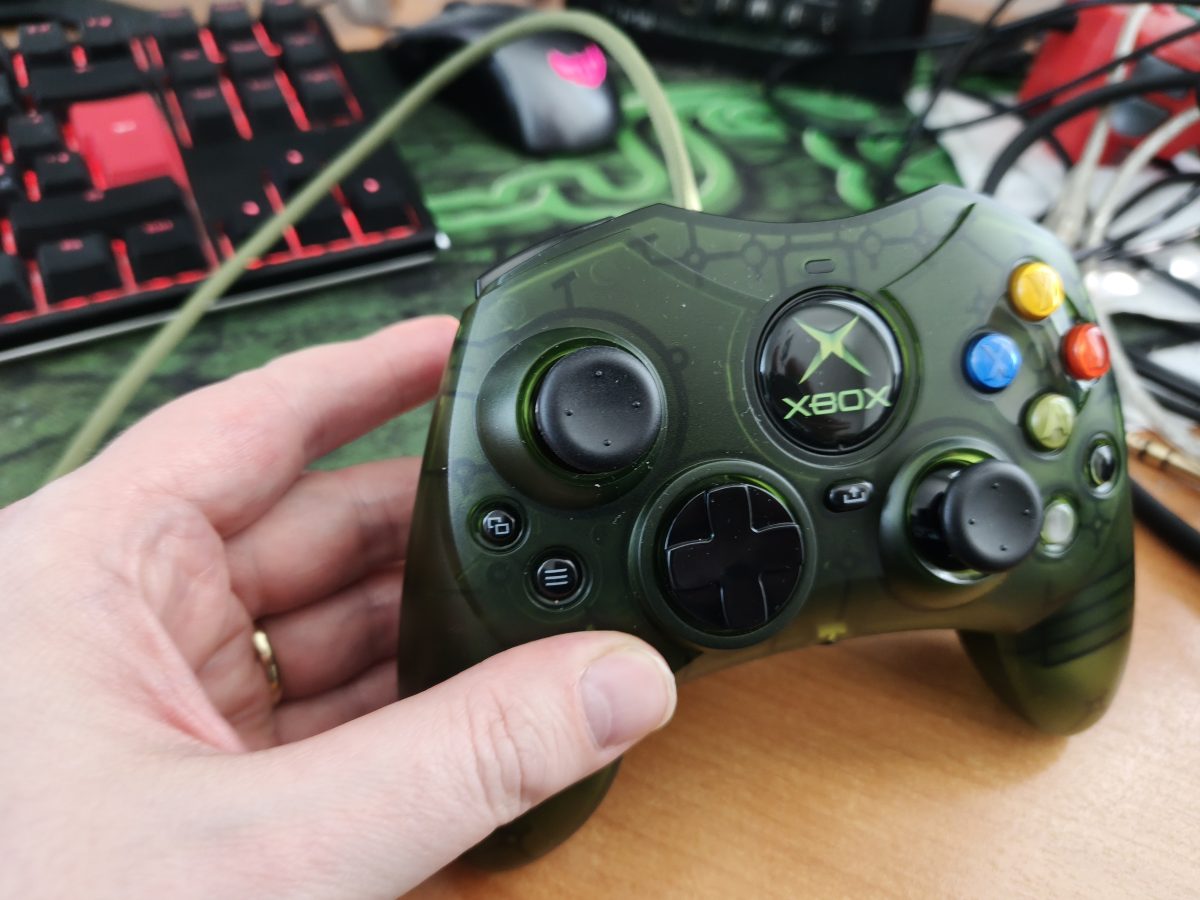
Hyperkin DuchesS Is a Joy to Use

It has been already almost three weeks since I bought Hyperkin DuchesS. It is a game pad that works on Xbox Series S/X, Xbox One and PC. It is available in three different colors that are black, white and green. The button layout is very familiar to gaming fans that have played video games on original Xbox. IT also has the so called “select” and “start” buttons of a modern Xbox game pad on the left side of the controller. This controller costs currently about 55 euros. So, it isn’t actually a very expensive controller to buy.

The Hyperkin DuchesS is a wired controller. So, you hook it up to your console or computer with a long cable that has a USB-A, as is usual nowadays, connector. I had sligh issues because the cable pressed some of my keyboard buttons accidentally. I don’t think that is a huge matter. The game pad feels light. The button layout feels very nice and the controller works very nicely when you play some original Xbox game on an emulator or with your Xbox Series S/X or Xbox One.

I have had some good gaming moments using this Hyperkin DuchesS with Xemu. It is a piece of software that allows you to play some original Xbox games on your PC. Xemu does have some issues and all the games aren’t playable using it. I was able to play some Forza Motorsport. This game works very nicely. Also Hyperkin DuchesS is a good choice also for modern games. I played Rush Rally 3 for a while. It is a decent rally racing game from this year (2026). I bought it for my Windows PC from Steam a while ago.

The nicest thing about Hyperkin DuchesS is definitely the button layout and also the similar feel to an original Xbox controller. I think this green color was the most appealling at least for me. So, I had the opportunity to buy it. I think this might be the most popular color out of all three of them. The controller really gives you a touch of a real gaming experience with a real original Xbox.

I have recently played original Xbox games mainly through emulation. I emulate Xbox with Batocera or a regular Windows PC. The experience is deeper with my Batocera computer since I have connected it to my television. So, I can play original Xbox games from my couch. It has been several years since I last time had a real working original Xbox connected to my TV. There are a bit over 60 games for original Xbox that actually do work through backwards compatibility on Xbox Series X. Some games are available as digital versions from Xbox store.

I really hope that Xemu keeps getting better. At some earlier times it wasn’t as good of a solution in a way that it currrently is. Some gamers say that it is able to run about 80 percentage of games out of the whole original Xbox game library. Original Xbox has almost one thousand games that were actually released. I think Xemu is a good and solid emulator. It just still has some slight problems and there are some ways it could be improved as an emulator. You can just compare it to PS2 and/or GameCube emulation that works without issues with emulators like PCSX2 and/or Dolphin.

Also you can use Hyperkin DuchesS with Xenia. This is a Xbox 360 emulator. You do need a powerful modern PC to use Xenia. Xbox 360 has 2157 games in its game library. I have played Colin McRae Dirt 2 for some hours with Xenia. You can probably find Xenia and Xemu using your favorite search engine.
Best Gamepad for PS3?

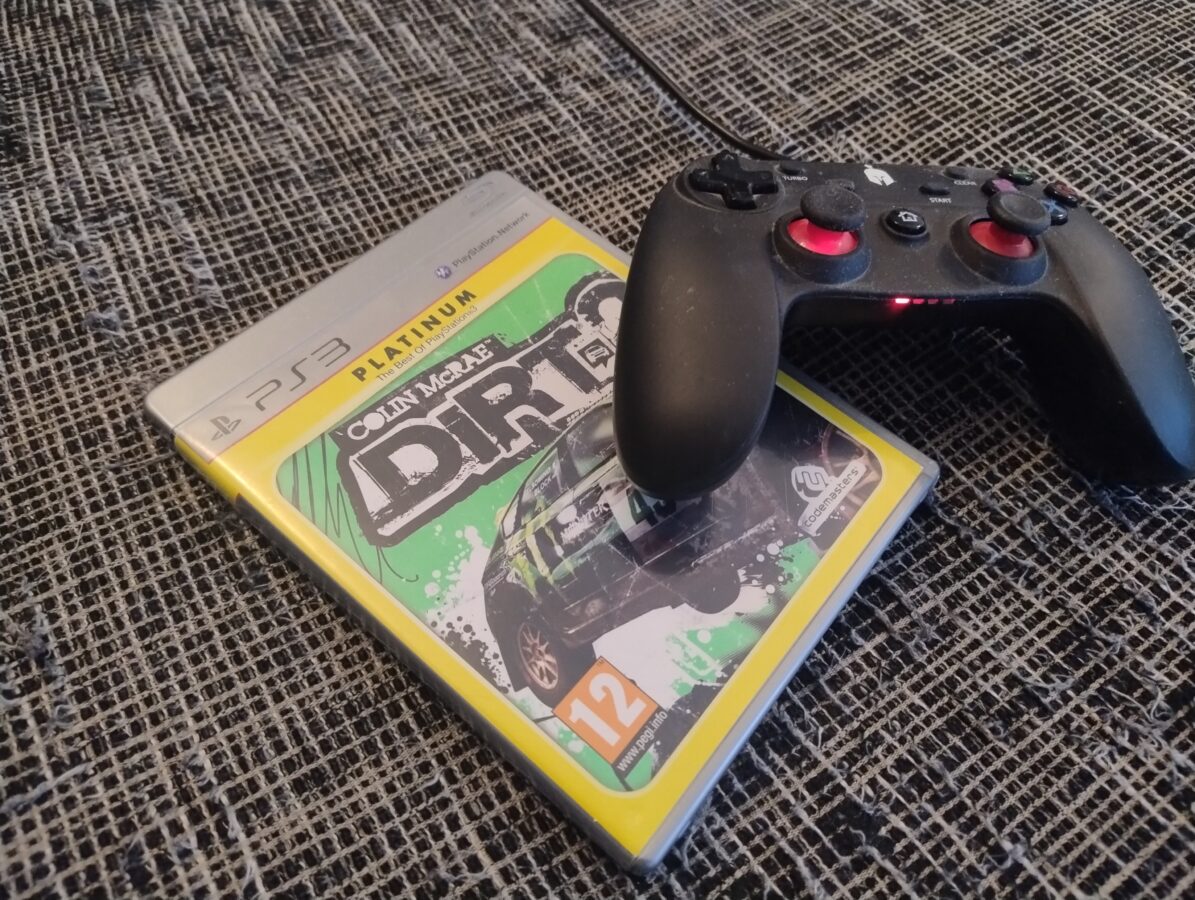
I have recently spent tens of hours playing some PS3 games. I played mainly Colin McRae Dirt 2 which is a good quality rally racing game originally released back in 2009. There are still many good games that you can play on PS3. This video game console can still hold its place among gamers hearths. I don’t consider it being yet a retro console.

PS3 was released originally in 2006. You can find many games for it with a cheap price tag of about from 5 to 10 or maybe 20 euros. There are some rarities or games that seem to be more expensive. Of course it must be considered that while the quality of the actual physical console is good the hardware is actually already getting a bit old now. Luckily it is already possible to run these games on a PC with an emulator. You just have to have a PC with a decent performance.

The thing that this time inspired me to write this blog post was that I came to think about what would be the greatest or best gamepad for PS3? The Dual Shock 3 isn’t a bad controller. It operates a wireless controller but I used to use the cable with it all the time just in case. It required a cable of a length of 3 meters and I think that is just a perfect length for a cable like this. I continued this workaround with my PS4 later.

I currently use a wired controller with my PS3. It is Spartan Gear Oplon. It isn’t an expensive controller at all. It does cost and it is also available for a price of 20 euros. It can be also used with a regular PC for any video game. It has actually a USB connector. I think this is a very good solution. The controller is very compact and seems to be very durable.

If we compare the latest Xbox gamepad with Oplon I have to say that the Xbox controller seems to be a bit better. So I wouldn’t recommend Oplon over Xbox Series S/X controller. Of course the Xbox controller is also a bit more expensive. I think you can get one for about 60 euros of price. The Xbox controller works nicely in wireless mode and especially if you purchase a good quality battery or batteries and a charging dock. So, you don’t actually have to keep the controller plugged in with the cable at least not all the time.

I have owned my Spartan Gear Oplon for many years already. I haven’t noticed anything that would make it a bad choice for wired PS3 or even PC gaming. It is a decent option for a retro game playing with PS3. The gamepad feels light as it doesn’t utilize a battery at all. I would recommend however the latest Xbox gamepad if you are gaming on a Linux or Windows device. I have to say that the Xbox controller suits especially well with Recalbox on Raspberry Pi 5. I also use it for PC gaming today with my Windows 10 that is actually going to be unsupported the next October as I am forced to buy a new PC or move to Linux completely.

As a short summary I have to conclude that Spartan Gear Oplon is a decent, cheap and durable option that can challenge also Dual Shock 3 controller as your main controller for playing video games with PS3. Some other very good PS3 games that I also like and am going to probably play are all Ratchet & Clank games, Hitman series games and maybe some Need for Speed games and especially NFS Shift 1 and 2 are good choices that you can choose to play. All in all the PS3 has still a lot to offer as it has these classic titles. The hardware seems to be durable and if something with it fails you can in any case go to the emulation as your backup option.

About Modern PC Controllers

This blog post deals with controllers for PC. I have used these three different gamepads for gaming on Windows 10. I don’t know, exactly, how these controllers work in Linux gaming. So, that part is out of the context of this post. Let’s get to it!

There are three, mainly, three controllers I have used. They are Sony Dualshock 4, the controller of PS4, Microsoft Elite Pad, that is designed for Xbox One and, my latest addition, PDP Neon Carbon that is used, mainly, with Xbox Series S/X. All these gamepads can be used with Windows 10.

Dualshock 4 (the red controller in the image) needs an app so it can be used. That app is DS4Windows. This gamepad works very well with PC. Only thing that is really annoying is the mapping of buttons. As I have learned by my experience, Windows apps tend to map controllers as Xbox One or Xbox Series S/X controllers. This is a bit irritating. I think this issue can be solved. There are for example USB dongles that can be used as a solution. As I noticed this problem I had a quick fix for it already – I changed to my oldest gamepad that is Elite Pad (the one in the middle in the image).

Buttons have been configured correctly when you are using Xbox One’s gamepad. It is often taken care that a controller that can be used in a Xbox Series console will be compatible with Windows also. I think you can even take a Xbox 360 controller and plug it in so you can use it to play with a PC.

By the way, all these controllers I have been using have had a wired connection. I haven’t even tried to get bluetooth to work with these. Why would I do that? My desktop doesn’t even have a bluetooth itself. I use a bluetooth dongle for a wireless connection whenever there is a need for such. It also seems that all these three controllers have a USB-to-micro-USB connection. Even the third gamepad, that is meant for new Series X, also sports a micro-USB, instead of the most popular, USB-C. This however makes only a little difference. And basically all you need is a cable that has about a metre or one and a half metres of lenght.

So, I was very involved in this and I was using the Elite Pad. It is of a very good quality. It was expensive and it has served well over ten years of use. After all, it started to break down a bit. There was a part, that I think was originally glued to its place, that I had to remove. It was sticking out and the controller didn’t fit so nicely anymore. I decided to get a newer controller. Of course my thoughts were to buy a controller of Xbox Series X. I had some thoughts about DualSense, but since Xbox and Windows go well together, I decided to go for the Xbox on this one.

It first seemed that the replaicment would definitely be a combo of wired and wireless. It would be an Xbox Series X controller. I first thought that I would buy the official controller. I made my way to a store. I found out that they were actually out of these controllers. I noticed an optional model. It actually was this PDP Xbox Series X controller.

The controller was only 45 euros or so. So it was 20 euros cheaper than the official controller. When it comes to gaming this kind of a swing can be a gamechanger. And that’s how it was for me in this situation. I got the gamepad and went home as a happy duude.

First thing I noticed with this controller was that it doesn’t have a battery included. It is a wired controller. It has a functionality and you can remove the cord. This might seem useless but it actually makes sense in a way. You can replace the cord if you are on the move or if it gets damaged in some way. It is very light. The feel is awesome. I like this controller and I haven’t noticed anything to complain about. It is compatible with Windows 10 and you don’t necessarily need any app to use it in this way. There is some sort of an app avvailable as a donwload.

We can have a tiny summary here out of this blog post. I am very content on my new controller. It is a nice update to my old Elite Pad. I have to say that Elite Pad really served very well for its price of 130 euros. It has an option to load a battery in it. It also has some adjustments and a bit of weight for the controller to feel good. It was although time to move on with it. You can also try to use PlayStation controllers with a PC. Some games might feel better this way. I didn’t go through Linux or Mac gaming in this blog post but as you can probably figure there is a wholea other world in that way also.