Hyperkin DuchesS Is a Joy to Use

It has been already almost three weeks since I bought Hyperkin DuchesS. It is a game pad that works on Xbox Series S/X, Xbox One and PC. It is available in three different colors that are black, white and green. The button layout is very familiar to gaming fans that have played video games on original Xbox. IT also has the so called “select” and “start” buttons of a modern Xbox game pad on the left side of the controller. This controller costs currently about 55 euros. So, it isn’t actually a very expensive controller to buy.

The Hyperkin DuchesS is a wired controller. So, you hook it up to your console or computer with a long cable that has a USB-A, as is usual nowadays, connector. I had sligh issues because the cable pressed some of my keyboard buttons accidentally. I don’t think that is a huge matter. The game pad feels light. The button layout feels very nice and the controller works very nicely when you play some original Xbox game on an emulator or with your Xbox Series S/X or Xbox One.

I have had some good gaming moments using this Hyperkin DuchesS with Xemu. It is a piece of software that allows you to play some original Xbox games on your PC. Xemu does have some issues and all the games aren’t playable using it. I was able to play some Forza Motorsport. This game works very nicely. Also Hyperkin DuchesS is a good choice also for modern games. I played Rush Rally 3 for a while. It is a decent rally racing game from this year (2026). I bought it for my Windows PC from Steam a while ago.

The nicest thing about Hyperkin DuchesS is definitely the button layout and also the similar feel to an original Xbox controller. I think this green color was the most appealling at least for me. So, I had the opportunity to buy it. I think this might be the most popular color out of all three of them. The controller really gives you a touch of a real gaming experience with a real original Xbox.

I have recently played original Xbox games mainly through emulation. I emulate Xbox with Batocera or a regular Windows PC. The experience is deeper with my Batocera computer since I have connected it to my television. So, I can play original Xbox games from my couch. It has been several years since I last time had a real working original Xbox connected to my TV. There are a bit over 60 games for original Xbox that actually do work through backwards compatibility on Xbox Series X. Some games are available as digital versions from Xbox store.

I really hope that Xemu keeps getting better. At some earlier times it wasn’t as good of a solution in a way that it currrently is. Some gamers say that it is able to run about 80 percentage of games out of the whole original Xbox game library. Original Xbox has almost one thousand games that were actually released. I think Xemu is a good and solid emulator. It just still has some slight problems and there are some ways it could be improved as an emulator. You can just compare it to PS2 and/or GameCube emulation that works without issues with emulators like PCSX2 and/or Dolphin.

Also you can use Hyperkin DuchesS with Xenia. This is a Xbox 360 emulator. You do need a powerful modern PC to use Xenia. Xbox 360 has 2157 games in its game library. I have played Colin McRae Dirt 2 for some hours with Xenia. You can probably find Xenia and Xemu using your favorite search engine.

All Original Xbox Games I Own That Are Playable On Series X

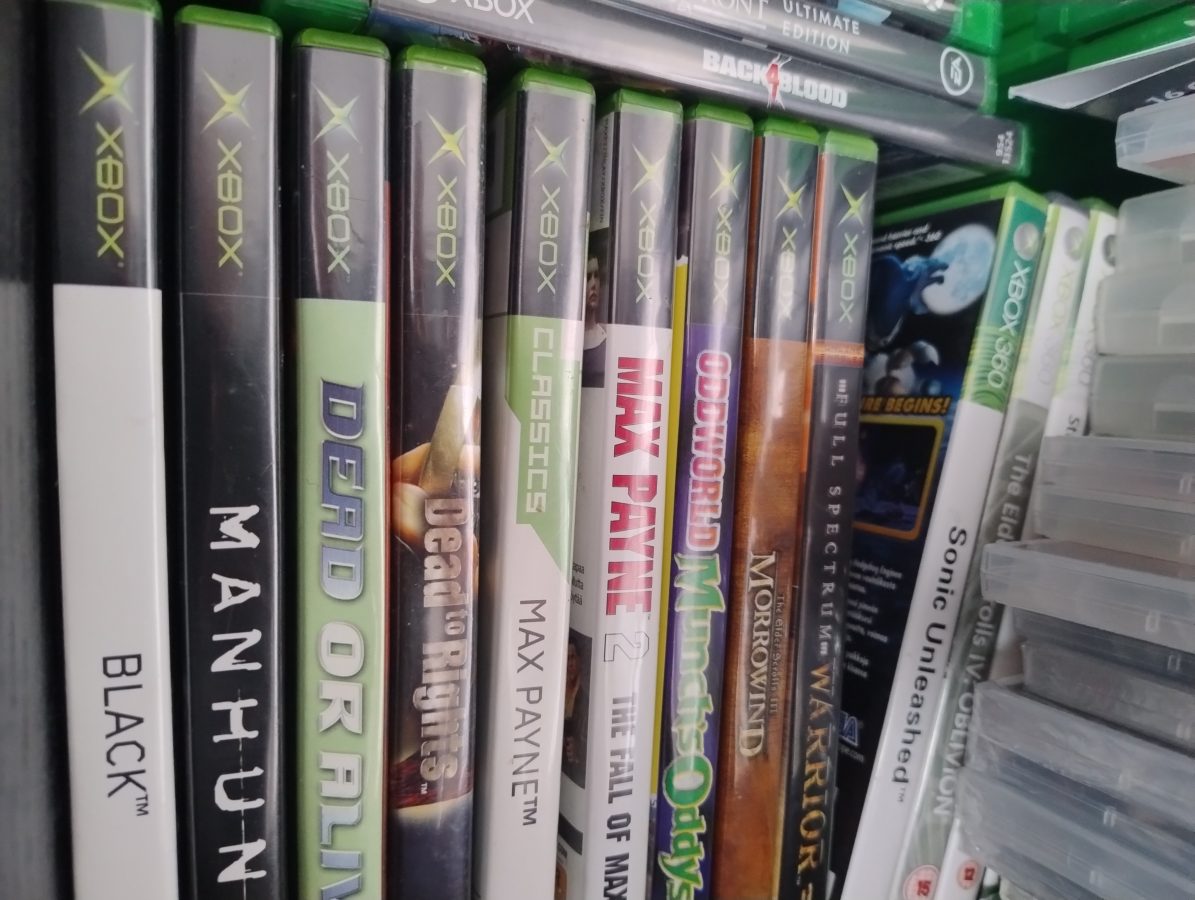
I have exactly only nine original Xbox games that are backwards compatible with my Xbox Series X. There are only 63 games in total out of every almost 1000 Xbox games that are backwards compatible. These games that I own are Black, Manhunt, Dead or Alive 3, Dead to Rights, Max Payne 1 and 2, Oddworld Munch’s Oddysee, The Elder Scrolls III: Morrowind and Full Spectrum Warrior.

The fact that you can play these games with a modern hardware seems amazing to me. Owning a working original Xbox would be another way to get to play these games. The controller of modern Xbox just feels much better than the original Xbox’s controller. You don’t have to concern yourself with poor video output quality or a need to use an adapter to get an HDMI out of your gaming console. The poor quality of original Xbox’s can lead you to buy many Xbox consoles if you aren’t able to repair them by yourself. But what kind of a gaming console would last over twenty years and still work? After all the device would need some maintenance.

Now I have tens, maybe even over a hundred, original Xbox games. I have had to move some of them to storage as I have had issues with consoles getting to malfunction. I have a broken original Xbox and also a Xbox 360. The issue with my Xbox might have had something to do with a broken condenser. These things can start to leak and cause some internal damage. The symptoms were that the console wouldn’t turn off. I had to unplug the power cord just to shut down the console. Otherwise it worked fine. The problem I had with my Xbox 360 was that it didn’t read any game discs no more. This was caused by some dust that had gotten into the console. I tried to solve the issue with compressed air but didn’t eventually succeed.

Over twenty years old gaming console can have many different issues. These devices aren’t actually today made to last tens of years. I don’t think that software developers and manufacturers of electronics were really thinking in the future for such a long period. This is somewhat understandable. Today there is this scene of old games that can inspire you in many ways if you just find yourself spending some time with them. After all there are so many games and so many systems to explore. This richness should be truly acknowledged.

Xbox Series X supports many Xbox 360 games also. There are 632 games out of a total of 2155 games that are playable. What happens when we move always to more modern consoles? Are we forgetting our past? Although the original Xbox can be emulated it seems today to be a difficult task while we are already seeing emulators that you can play Xbox 360 games with on our PCs. My current PC system just isn’t powerful enough to operate an emulator of this kind. The emulators name is Xenia.
Utilising PCSX2 for PS2 Emulation on a PC

I have lately played some PS2 games with an emulator called PCSX2 on my desktop computer. I did try to play some Xbox 360 games on this Windows PC but it seems that my computer isn’t powerful enough to run this game consoles games. The emulator I tried was Xenia.

I do have a powerful enough GPU and also I have enough RAM memory on my PC. It seems that the processor lacks some power. So, I am not able to run Xbox 360 emulation using Xenia emulator. This lead me to once again try also PCSX2 and check if my computer can run some PS2 emulation instead.

I own now already two PS2 gaming consoles that don’t work. The first one I received as a gift and the second one I bought for 110 euros about a year ago. Playing PS2 games on an emulator seems to be a good option for buiyng a PS2 console. The price of a PS2 unit isn’t high but if you keep buiyng one every year it can get expensive.

PS2 was originally released back in 2000. It was the first console to include DVD player functionality which made it very popular. It was produced all the way to the beginning of 2013 and was then discontinued. It sold 155 units worldwide which makes it the best selling video game console of all time. There were over 4000 game titles released for PS2.

Installing PCSX2 is pretty straight forward. During installation you have to specify where on your computer you have your BIOS file or files. So you need to have a BIOS from your PS2 system that you actually own to play PS2 games totally legit. You can install PCSX2 for Windows, Linux or macOS.

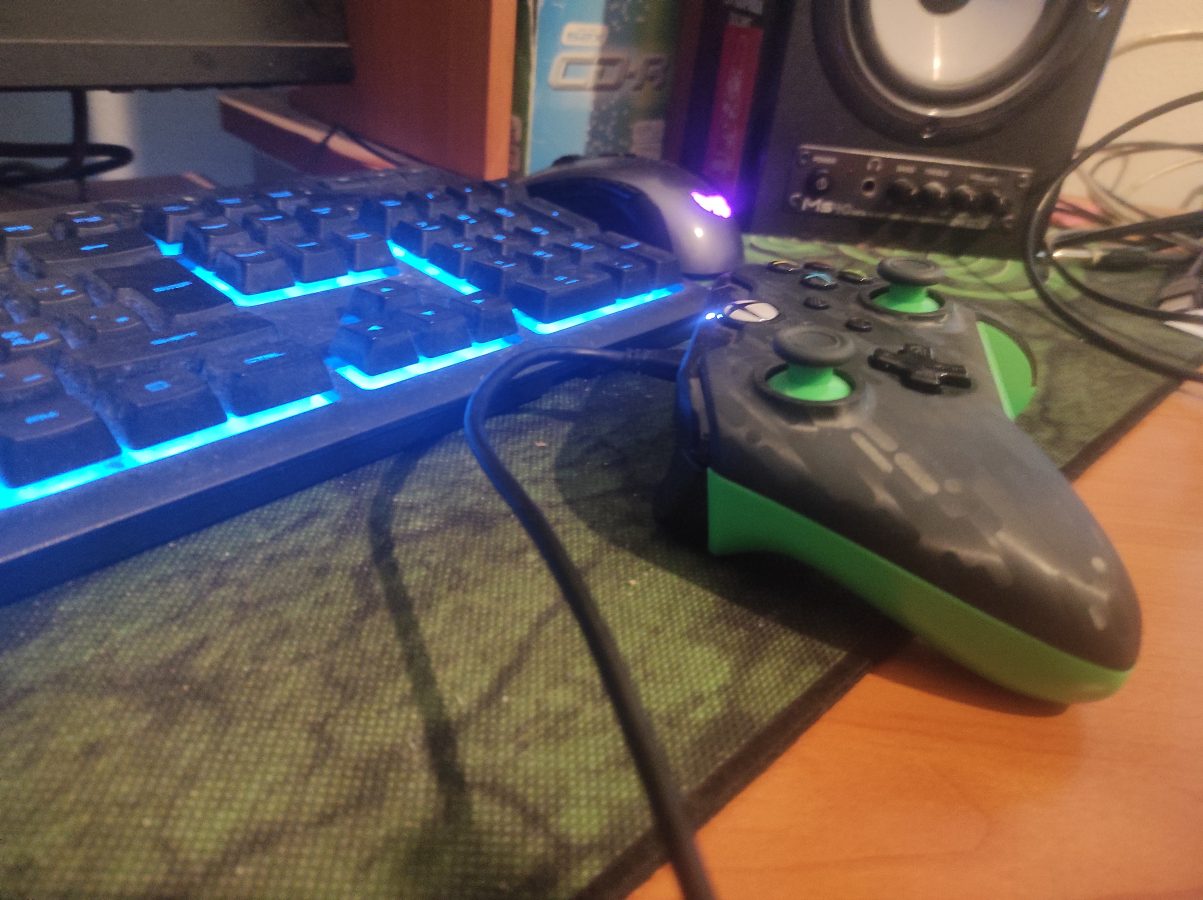
I use my Xbox Series controller that I have especially bought to play some PC games. It is manfactured by PDP and it is a wired controller so you have to plug in a cable. You don’t have to have a long cable after all. If you prefer a PlayStation style of a button layout you can also use a PS4 controller which is also called DualShock 4. I have no experience about the latest PS controller or DualSense.

The games seem to run smoothly on this emulator. The games I have played include Call of Duty 3, Rayman Revolution and Gran Turismo 4 just to name a few. With over 4000 games PS2 manages to bring something for every gamer. I suggest searching for more good games to play from internet as there are many lists about recommended games for this system.

It seems that todays PCs are powerful enough to run an emulator like PCSX2. While we might not be yet ready to have some more newer gaming consoles emulated on our computers the future of emulation seems to be going to a strong direction. I hope we get to see also emulators for systems like PS4 and Xbox One in the near future. I also hope that we can get those emulators to run on our PCs.