Gaming with Raspberry Pi

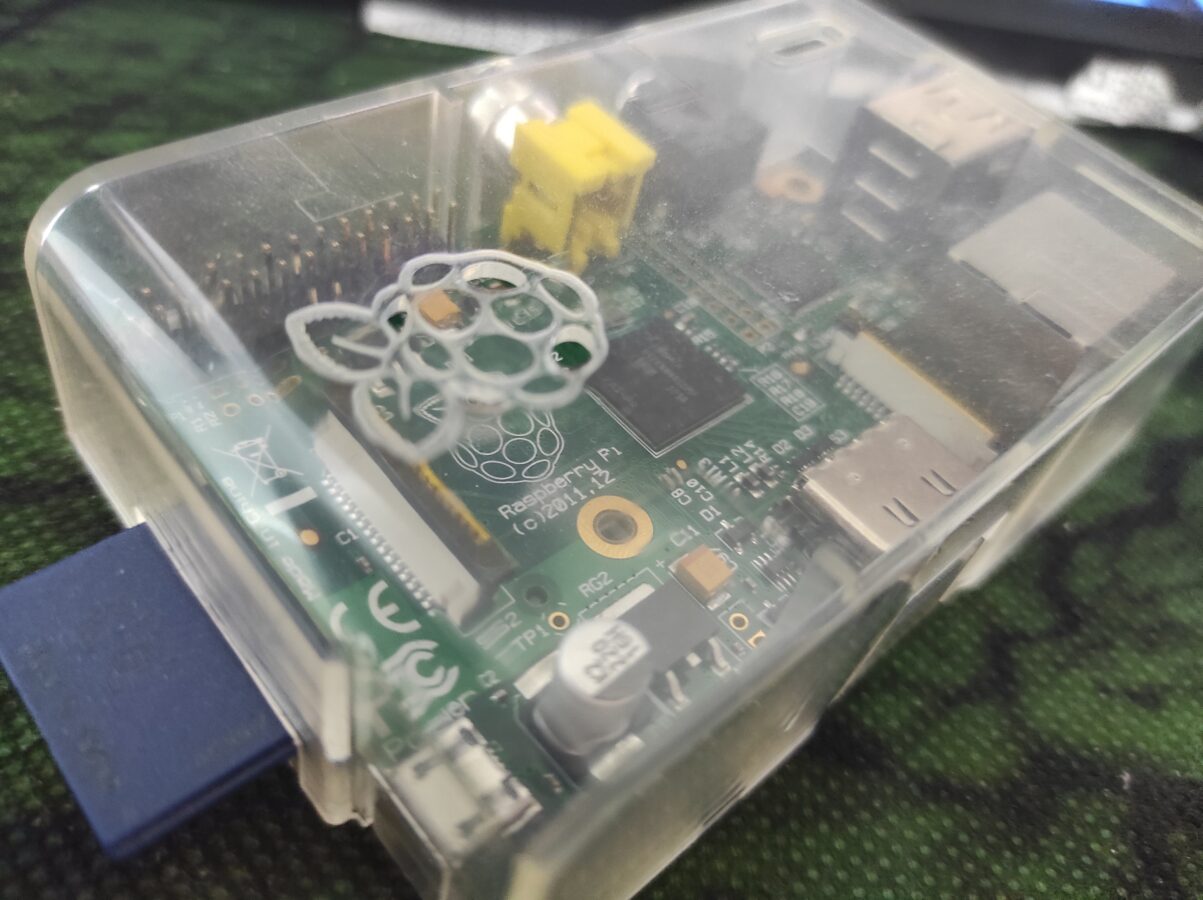
So I have this old Raspberry Pi 1 that I got back in about 2011. While it has many uses I haven’t utilized it in a while. What makes this interesting for the readers of this blog is that it can be used for retro gaming. While it is not able to run decently games that have 3D graphics it is perfectly good for playing retro video games like SNES games to give an example. Newer Raspberry Pis are capable of running some more advanced games that have 3D graphics. It is also not a bad choice to pick up a NVIDIA Shield if you are interested in emulated retro gaming and you want to be able to run games with 3D graphics. Shield can even run some Sega Dreamcast with Sony PlayStation games. If you want to be able to run PS2 games I think this is not, at least yet, your way to go.

So we have this Raspberry Pi 1. It has many ways that you can connect different equipment to it. It has two slots for USB. The connections are white which tells us that they are of type USB 2.0. This doesn’t affect us so much. The connections could be colored blue that only tells that they would be a bit more advanced and more effective in transmitting data through them. But for a USB controller or even Bluetooth dongle would work with USB 2.0s just fine. You can even expand these USB slots with an USB hub. It can provide you more USB slots.

If you don’t want to sacrifice one USB slot for Wi-Fi dongle you can connect your Raspberry Pi to your network and internet with an Ethernet connection. There’s no Wi-Fi built in the first Raspberry Pi but some newer models also have this feature included. So you might want to consider buying for example Raspberry Pi 4 instead of the first release. The first release also only supports SD memory card up to 32 GB. While this is just enough to support playing retro games, it might be too small for some uses. There is HDMI connection which delivers the sound and the picture from the computer to the display. There’s also a slot for video output and a small slot, actually a mini-plug connection, for audio output. Raspberry Pi also needs a power input that is provided with 5V micro USB connection. You can probably use your old smart phone’s cable for this, that is you have one available.

You get that Raspberry Pi needs a memory card  and a power cable to work. You will also need a keyboard, maybe even a mouse, a cable for Ethernet and an HDMI cable. That’s just for setting up. You have to install yourself a good operating system. For gaming I would go with RetroPie or Lakka OS.

Here’s some links:

https://retropie.org.uk/ and https://www.lakka.tv/

There are many ways that you can get the image file to your memory card. You can probably read some deeper instructions from those links that are above this text. It depends on your host operating system but I know that you are able to make the installation with Windows and Linux PCs.

After getting the software installed you need to fiddle around a bit with the settings. You can usually just connect your game pad and configure the controls. After that you only need to use the Raspberry Pi with your controller. You need to transfer the roms to your device also. This can be done in several ways. You can for example transfer them to USB stick or you can transfer them from your local network. I am not getting to this since this blog post is not actually a tutorial. I am only discussing about the possibilities and I am trying to give you a clear picture for what it is like to get your old, dusted, Raspberry Pi to work for you as a gaming device.

I really think that this is all about this subject. You can run your SNES, NES, Mega Drive/Genesis, Master System, DOS and Atari 2600 games like this (just to mention some of the most popular systems). I would recommend for your game pad Logitech’s or a USB SNES pad although there are plenty of possibilities. Some controllers might not work so don’t try to plug your PS4 controller in as it won’t probably work and would need some fiddling.
About Memory

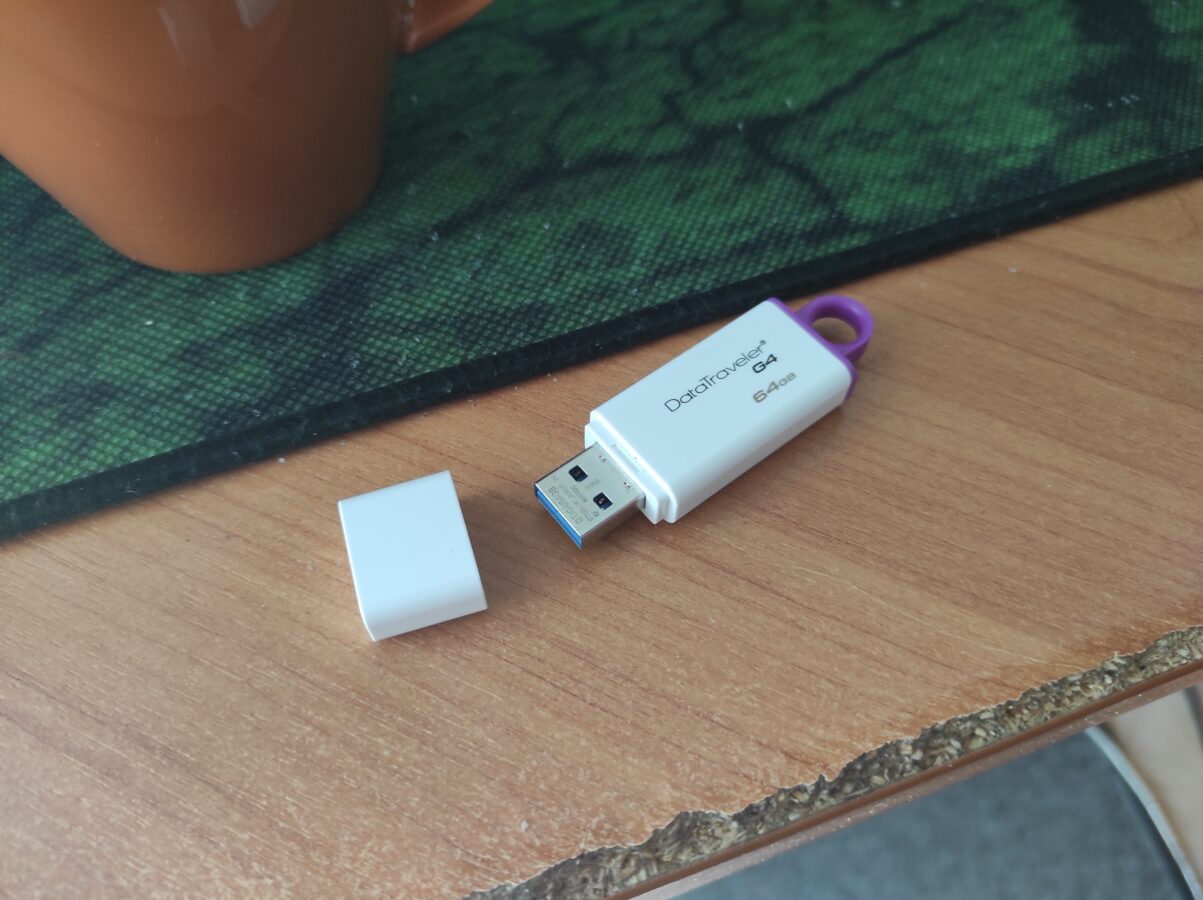
Memory is a huge part of how a computer or a gaming console operates. This blog post is my attempt to introduce to you how memory works and what kinds of memory is involved in different gaming devices. So there is basically some temporary memory that doesn’t store so much information. There is also larger memory that stores a lot of information but it isn’t used as frequently. There is also memory that has to be stored for a long time and memory that is used only for a short period of time.

This is basically how computer like systems work. They save data to memory, take user or some other input and make calculations depending on the data that they work with. They present something depending on what the user is doing. This creates the interactive part in video games.

Hard drives are the part of a gaming device that store everything that the game needs. A big part of this is saved games data. Some retro gaming consoles don’t have a hard drive. Hard drives were introduced to game consoles as Xbox was released. With for example the first PlayStation you had to get yourself an external memory card to save your game. Hard disks also store the data even if you turn off your game console.

Today it is common to have hard disks as large as 2 TB. The amount of space on hard disks has been increasing all the time. I remember a time when I bought a hard drive for my PC that had 15 GB. That PC had a 400 MHz processor. As you can figure the technology and performance of computers is advancing all the time. The data that is moving inside devices and also in different kinds of networks is getting larger. Also the size is getting smaller and you definitely can play games with handheld devices and also with your smart phone.

If you would like to get to know more about how computers operate I suggest you pick up a book about how micro processors work. I have some knowledge but I understand that my information isn’t so precise. So if you really want to dive in this topic just make a search in your favorite search engine and type in something like “micro processors free e-book pdf” or something like that. I know that there are many free resources for you to read.


Some changes we have seen – Gaming from 1984 to 2021

I am going to go through the most important changes that have happened inside gaming from my birthday to this day. Back in 1984 we had already NES in some gamer’s living rooms. This wasn’t the first gaming device that I ever played. That place was conquered by PC. Computer games in the 80s might have had black and white or eight color graphics. Some games might have had 16 colors from which the graphics would be presented. The resolution was much lower than what we are used to today.

For games’ sounds there was only this horrible noise that was produced by the computers own speaker. In the 90s it was possible to buy a sound card for your PC and some gaming consoles, like Mega Drive, offered a better quality of sound. We were still far from a CD quality of sound effects and background and theme music. The quality of sound progressed as more and more and better consoles became available and as the technology advanced.

Getting the input from player has progressed. From keyboards, joysticks and simple controllers to game pads like Dual Sense and Xbox Elite. We have seen the beginning of real virtual experience. If you compare the controller that is seen in the related picture to the latest Dual Shock you really can see the difference. When the NES controller has only axis buttons and four other buttons my Dual Shock 4 has way more buttons. You really cannot compare these two in the means of human engineering.

What else has progressed? Designing games has taken major steps forward. Consider for example how much games like Doom and Diablo have influenced almost all types of video games. Besides bringing more technical advancements these games brought us some improvements in pure game design. Many games today have taken influences from role playing games. These features include developing and choosing a role or abilities to develop inside the game. You can gather experience and rare items that are able to be gathered by the player.

We have also seen how social media and internet have both made an impact. Did you at some time go to LAN parties? Well, I did. Haven’t been in those kinds of happenings in a while and this is also the trend as connectivity has increased so that you can get online almost everywhere in the world. Also the size of computers, mobile phones and consoles has been getting smaller all the time.

So if you would travel back to 80s you would see a different world. I think today we are dealing with lots of devices and activities that require more and more these skills that can probably be called something like “digital skills”. These skills include using social media and even marketing and using your visibility in your own advance and in collaboration with your friends and people also that you work with. We are all connected together and there is huge amount of data moving in these networks all the time. As some of us have combined sport activities to the new digital world I think that the amount spent exercising has decreased in overall.

Time will show in what direction we are moving. It has become clear that skills with internet, mobile devices, laptop and desktop computers and different kinds of networks are required. And so are also skills in teaching and providing a decent support for the final users of this technology. Big data has already made it’s impact on games that are actually gathering all kinds of data from within the game as the player makes its moves and progresses in the game.