Some Notes About PC Gaming

With all my video game consoles I am also very deeply into PC gaming. In this blog post I am going to write to you about my experience in PC gaming in 2025. What games do I play, what kinds of hardware and software I use and how can a PC be utilized to also play some retro games be it that they are on any platform including consoles and older PC gaming systems like MS-DOS or older Windows. I am not so deeply involved in Linux or Mac games. I have only played several Windows and DOS games. I think that Linux gaming is a very young field at this moment but things are moving forward all the time. Linux is today able to play many games that were available only for Windows systems earlier. We are not going to go so deeply into Linux gaming as I have at this moment a Windows 10 installed on my PC.

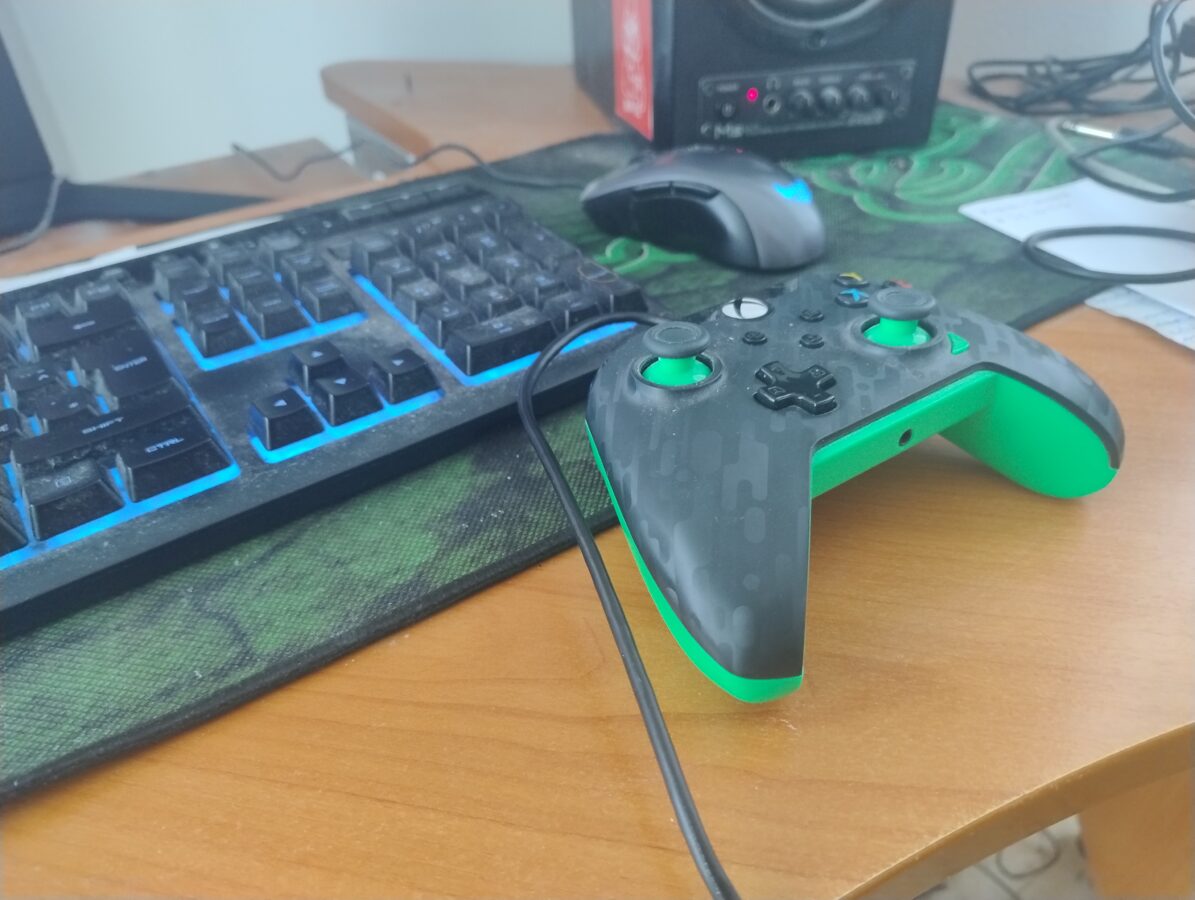
Some old school gamers might be a bit confused since many PC gaming hobbyists are utilizing a game pad today. Originally PC gaming was very focused on playing with a mouse and a keyboard. I once handed a game pad to my friend, he’s a total PC gamer and has been playing for a long time already with a PC, and he just couldn’t figure out how to even put the controller in his hands. He was trying to handle it like it would be a keyboard. This is just to remind you that some PC gaming enthusiasts are very keen on playing with this somewhat old school controlling method. Back in the 90s it was almost impossible to picture someone playing a FPS game with a game pad. This changed when games like Halo and Call of Duty became popular within console gamers.

Console and PC gaming has become closer and closer to each other. There used to be these two separate groups that favored PC or console games. Of course PC even today cost a lot more than consoles. It is somewhat ridiculous that some players demand same performance from devices like Xbox Series X and PS5 that is present in PC gaming. It has been some kind of a law of nature that consoles are cheap to buy and the profits that console manufacturers make are made out of selling software and mainly games for these systems. There are many ambitious and huge games while some games are developed by indie developers that don’t have so much expectations or technical ability in the games they are releasing. I think this is mainly a good thing. Not every game has to be a huge success after all.

I have lots of PC games in the form a DVD or CD-ROM disc. Today it is coming more and more common to see a PC that doesn’t have a optical disc drive at all. Many setups available don’t include the drive at all. My personal solution to this was to first buy an external DVD drive and just recently I got also a Bluray disc drive. It was a bit expensive. It cost me about 150 euros. I haven’t seen any Bluray Ultra HD 4K disc drives that would have been available in any web shop that I encountered online. This is the actual format of the latest video game consoles.

Gamers are buying their PC games mainly from places like Steam and GOG (“Good Old Games”). There is also the consideration about abandonware. This means that some games aren’t available to be purchased at all and the copyright holder doesn’t really mind if someone is sharing the game for free to be downloaded. You can run a search on your favorite search engine, like DuckDuckGo, or some else, to see some of these games. My favorite place to find abandoned PC games is “My Abandonware” that is a website that holds thousands of games. Soe games are tagged as “commercial” and this means that you aren’t able to download them at least from this site. Some popular abandonware games are the original Silent Hill 2 – Restless Dreams, Black and White 2 and Need for Speed Most Wanted.

It is also possible to play many retro games on a PC. This subject is a bit controversial. Some game companies, like Nintendo, are telling us that emulating older systems is piracy and illegal. Some consumers think it is totally all right to play these games that are downloaded from some gaming website. The law says that for example to use a PS1 emulator on a PC you have to extract the BIOS from the PS1 that you own and then rip every game from an original CD that you own. Then you are perfectly legit with this matter. We are not going to go so deeply in this topic ether. Let’s just state that emulation is possible and there are emulators available that emulate devices like GameCube, PS2, N64 and PS1.

When it comes to operating systems Linux has gained some popularity. At October Windows 10 users are forced to update to a Windows 11 system or then pay some more to keep using their Windows 10 systems. Some lucky people just need to update their operating system while others, that don’t have a compatible PC for this upgrade, are going to have to buy a Windows 11 PC.

How about the issues of performance? How powerful PC can run the latest games and how much does it cost? I have currently a systems that has 16 GB of RAM, a video card memory of 8 GB, a lousy CPU that actually isn’t compatible with Windows 11 or 12 and a 2 TB SSD drive (along with a 250 GB SSD that holds my Windows 10 system files). I also recently bought, finally, a screen that is 28 inch and can display 4K resolution graphics. I am going to upgrade to a PC that has at least 64 GB of RAM, 2 TB SSD, and a video card that has 8 GB of video memory. Also I need good and compatible CPU. This system should be able to run games like the new Silent Hill 2 and Final Fantasy 16. This kind of a computer is going to cost me about 1300 euros. I bought my old PC with a price of 750 euros back in December of 2020. So, it is already a kin do f time also to update my computer to enjoy some modern PC gaming. I think this is all this time and we’ll see in a new blog post later.

Building Your Own Steam Based PC Setup

This article is here to introduce to you an idea and also an alternative to something I have achieved here with my Raspberry Pi 5. I am talking about an alternative to Recalbox. This means a PC system, maybe a mini PC one, that is running also Steam. With this kind of setup it would be possible to run any game that you own through Steam. Lets begin!

What I did earlier was that I setup a Raspberry Pi 5 as a retro gaming device. I connected it to my 4K television. This system is good. Its biggest flaw in my mind is that it is not a legit device to play your retro games on. What would be a nice solution is a sort of personal computer that you have a Linux OS running in it and you could also play Steam games on it this way.

Raspberry Pi 5 is a powerful computer. However if you really want something powerful you could get yourself a mini PC that might have something like 32 GB of RAM, a proper CPU and maybe a GPU and also some disk space like for example 2 TB of SSD. As system like this can cost above 1000 or even 1500 euros. This would however be noticed as a totally legit device. It would enable you to play any PC game that you have bought through Steam.

One solution to which operating system you could use for a project like this would be Bazzite. It is a Fedora based Linux distro that can run Steam. Just search for Bazzite through your favorite search engine. I also watched a video on YouTube about this. The video was TechDweebs “This is a fun project!”. You can watch it for some more inspiration. Of course you can find it from YouTube.

If you have a Raspberry Pi 5 or some earlier one you can also try to install some other Linux distro and also play games through Steam. There are many distros available. Just remember that even Raspberry Pi 5 has limited power and doesn’t run the latest games. However it is possible to play many games that don’t have such demanding system requirements. You can also consider getting a real Steam Deck handheld console that is priced somewhere between 600 € to 840 euros. There are ways to hook up Steam Deck to your televsiion.

I wrote this blog post just to remind you of some ways that you can achieve a nice experience while playing your favorite video games. There are many alternatives to Recalbox. I think you will find the right way just for you. You might even want to buy some older game collections for your latest console or maybe you want the original retro hardware. The choice is always yours and there are lots of choices available!

Raspberry Pi 5 and Recalbox

I made a decision and went and bought the latest Raspberry Pi computer. It is officially called Raspberry Pi 5. It is a very powerful computer and it costs only about 100 euros. You also have to buy some accessories with it so you can make it usable. You have to buy a cable or two and maybe a cover and also memory card and a controller. All pieces included the total price was, I think, maybe 250 euros.

This is still very cheap when you consider that this thing has 8 GB of RAM. The performance is very good. I decided to pair this with an operating system called Recalbox that enables you to turn your Raspberry Pi 5 into a retro gaming machine. I have installed the OS and found some emulators to be working while others seem to have some issues. But if you consider that this is very much something that you have to really spend time and inspect carefully I think the functionality of this thing is very good.

I decided to include in this small setup an Xbox Series controller. I picked a nice lime colored model. The controller alone cost only 50 euros. I connected it with a 3 meters long USB-C to USB-A cable. So, I am not using Bluetooth to connect the controller but that can also be done if you need that functionality. I think setting up Bluetooth controller seems to be an easy task since Raspberry Pi 5 has Bluetooth integrated in its circuitry.

I connected my Raspberry Pi 5 to my LAN network with an Ethernet cable. Moving BIOS and ROM files from your main computer to the Raspberry Pi computer is fairly easy. I think there is some kind of a limitation that makes moving large files, over 5 GB of size, impossible when using Windows network. Or at least it wasn’t possible when I tried it out. Of course you can pick out the memory card and move the file directly to it. That might be the solution.

I picked a memory card that has a size of 128 GB. The type of the memory card that Raspberry Pi 5 uses is microSD. There is a connection for HDMI output so you do need a special cable for that too. The HDMI cable I used is a HDMI to Micro HDMI. As there are several different pieces of hardware it can take some time to plan what parts you really need and should buy.

Installing Recalbox is not so complicated if you have some experience of installing operating systems to PCs or to Raspberry Pis. I am leaving this part also for you to search for through internet. I think you can find these instructions very easily. I used a program on my Windows 10 called Raspberry Pi Imager. I think you should use this program also.

There are some competitors available for Recalbox. You can try also Lakka OS or RetroPie. I actually first tried Lakka OS but after all I was more convinced with how Recalbox worked. RetroPie even didn’t have yet an image file for Raspberry Pi 5 so the installing of it would have been an exercise of some extra thinking. Recalbox was the best as it was easiest to install and I have noticed very few issues with it.

Of course you need also the games and game systems BIOS files. So you need to move the ROMs from your PC to your Raspberry Pi 5. You can find games easily from internet. They might be sometimes fractured somehow and there can be bugs. To eliminate this you should rip your games from actual CDs or DVDs. This is especially easy if you are emulating PlayStation 1 or 2. Also, I have to mention that downloading games is actually against the law. Also, if we are strict, you would have to rip also systems BIOSes from a system that you actually own. I actually had an issue with a downloaded game and I came to senses that it had a bug that freezed my game and made it impossible to carry on forward playing it.

So I have had time to experiment with my Recalbox OS. I now have a system that supports mainly and most importantly PS1 and Dreamcast along with many other gaming systems with a bit lower specs. I haven’t been able to get GameCube games running. Also the PS2 emulation is under work right now for me. I also found out that N64 games work but they somehow don’t respond to game pad input at all. So, this is also under work.

If you aren’t afraid of some fiddling with the hardware and software, like moving some ROM and BIOS files to their proper paths and maybe renaming the files correctly. a Raspberry Pi 5 with Recalbox OS can be a fun project for you. It is very easy to check if correct BIOSes have been setup properly. There is a text file generated after the BIOS check has been run from the user interface of Recalbox that clearly states what BIOS files are needed and also which ones are optionally needed.