A Neat Find from a Local Flea Market

You don’t have to necessarily guess what I found from a local flea market. While looking to the image right above this blog post you can see that it is an original CD-ROM of the legendary FPS game Quake. What you can guess is how much did I pay for it? It cost me two euros. Yes. That is right. Two euros. I am a bit tempted to sell this forward for maybe ten or fifteen euros but I decided that I would like to keep it.

I already figured when I decided to buy this that this game isn’t going to work on my modern Windows 10 PC. Fortunately I have a dedicated PC that runs Windows XP. I am going to play it on this old PC. I also understand that there are versions of this game available for Switch, PS4 and Xbox Series X. I think I made the right choice when I decided to buy this game. While re-use centers don’t necessarily always have the right ways to analyze the stuff they are selling I am willing to support them with buying a game for two euros.

There is one cool feature with this CD. It does play the games official sound track if you insert it to a CD player. I think this was why they had it in the audio CD section of this re-use center that I bought it from. I was actually a bit surprised that this disc didn’t have even more value. I have seen some CD-ROM PC games that were for sale for maybe 30 euros. This is of course a price of a game shop and those prices are always a bit high. This is due to some expenses that these special stores have like rent for example. I am very content in this latest purchase that I made. It is definitely a good purchase. Two euros. Wow!

I actually have a holiday at the moment. I have spent it sleeping, reading and playing. I have been just relaxing. I did spend some time in a hotel. And we are going to our family’s summer cottage next week. My wife has her holidays at the same time. We have spent some time together, of course. So, I have had a lot time for these activities I described a bit earlier. Today I had time to go to three different flea markets at Myyrmäki, Vantaa.

Quake has gained lots of attention lately. So I guess that here’s some more hype for the game. I am also waiting to get to listen once again the soundtrack of this game. The soundtrack was produced by Nine Inch Nails. If you like old school first person shooters then why not give Quake a try. Back in 1996 it was something different. It is a good game and a legendary game also.

Some Characteristics of a Realistic Rally Game

Here’s two difficult and also very realistic or so to say simulation type of rally games. The first one I have right here is Richard Burns Rally for PC. It is already a bit old game but it’s also still very popular and liked game. The next one we have right here is a newer, it’s actually from 2019, rally game called Dirt Rally 2.0. The end of the name, two point o, comes from an early rally game called Colin McRae Rally 2.0. I don’t know why they actually decided to add that “point o” to the end originally but I think it sounds and looks nice. CMR 2.0 is one of my all time favorite games and it was released for PlayStation back in the 1990s.

How is it to play a realistic rally game one might ask. They are preferably played with a racing wheel and pedals. I however played these games with a gamepad. Richard Burns Rally is older game so I played it mainly with my Logitech RumblePad 2. I have Dirt Rally 2.0 for PC as a digital edition and I also have this game right in this featured image for PlayStation 4. While it is possible to play these both with a gamepad you have to think about lowering the difficulty. You have to consider turning some driving assists on and adjust the driving skills of your opponents. Both of these games can also be played against real human players through internet or maybe even local area network.

As these games are difficult to play you have to concentrate well to handle the car and to succeed in the progress. These games are not very forgiving ones. There are many differences if you compare a realistic rally game to a fun game like the one I already mentioned – Colin McRae Rally 2.0. The controls are more precise. There is a constant feel of danger. You can easily destroy your good stage time and even, if things go really bad, total your car so you get disqualified from the whole event.

Playing Colin McRae 2.0 is a lot of fun. You drive your car, make mistakes, even bad ones, but you still progress. Playing a game like Dirt Rally 2.0 makes you feel that any mistake you make, even a small one, can be disastrous. There is an appeal to both of these games. They aren’t necessarily a good game and a bad game. I just think they are very different kind of games.

As you may have already found out I am a seasoned racing gamer. My roots as a rally gamer go as deep as the roots of Colin McRae Rally series’s go. I was a fourteen year old kid as I stumbled on CMR. I think this was the moment when my deep interest towards rally gaming started. This game was actually so good that I remember that my good friends older brother that was already almost 30 years old became interested in playing PlayStation and eventually bought one for himself. Don’t ask how is it possible that my friends brother is over ten years older than me and my friend. I don’t have an answer to that question.

There are many racing games that I like and have gotten the opportunity to get into. It might be interesting to go through that list here. First on PlayStation 1 I played Colin McRae Rally 1 and 2, Driver and Gran Turismo. On original Xbox I got into Colin McRae 2005 and Burnout 3: Takedown. Later I played Dirt 3, Need for Speed Shift 1 and 2, F1 2010 and Gran Turismo 5 on PS3 and then I proceeded to PS4 with Dirt 4, Dirt Rally 1 and 2 and Gran Turismo 7. I have played also some titles on Xbox 360 and PC. There are many good racing game titles for PS2 also.

Playing racing games with a gamepad has been the most comfortable format of playing racing games for me. I have later used Xbox One and Xbox Series X gamepads for playing these games on a Windows PC. Windows has a nice support for Xbox gamepads. You can also hook up a PS4 controller very easily using a free app called DS4Windows. You can find it from your favorite search engine very easily. I have also earlier written about DS4Windows on this blog.

If you want to experience a realistic rally game you can spend some money and get yourself a racing wheel and pedals and I also recommend that you get a racing chair also. This can however take up a lot of space from your game room and it also costs you a lot of money. I think you can play racing games with a gamepad and at least get started in this way your journey to the world of racing games.

One good thing about racing games is that you very rarely get to experience a real accident where someone really also gets hurt. This is of course a point on any game. We can take a war game for an example, right?

About Modern PC Controllers

This blog post deals with controllers for PC. I have used these three different gamepads for gaming on Windows 10. I don’t know, exactly, how these controllers work in Linux gaming. So, that part is out of the context of this post. Let’s get to it!

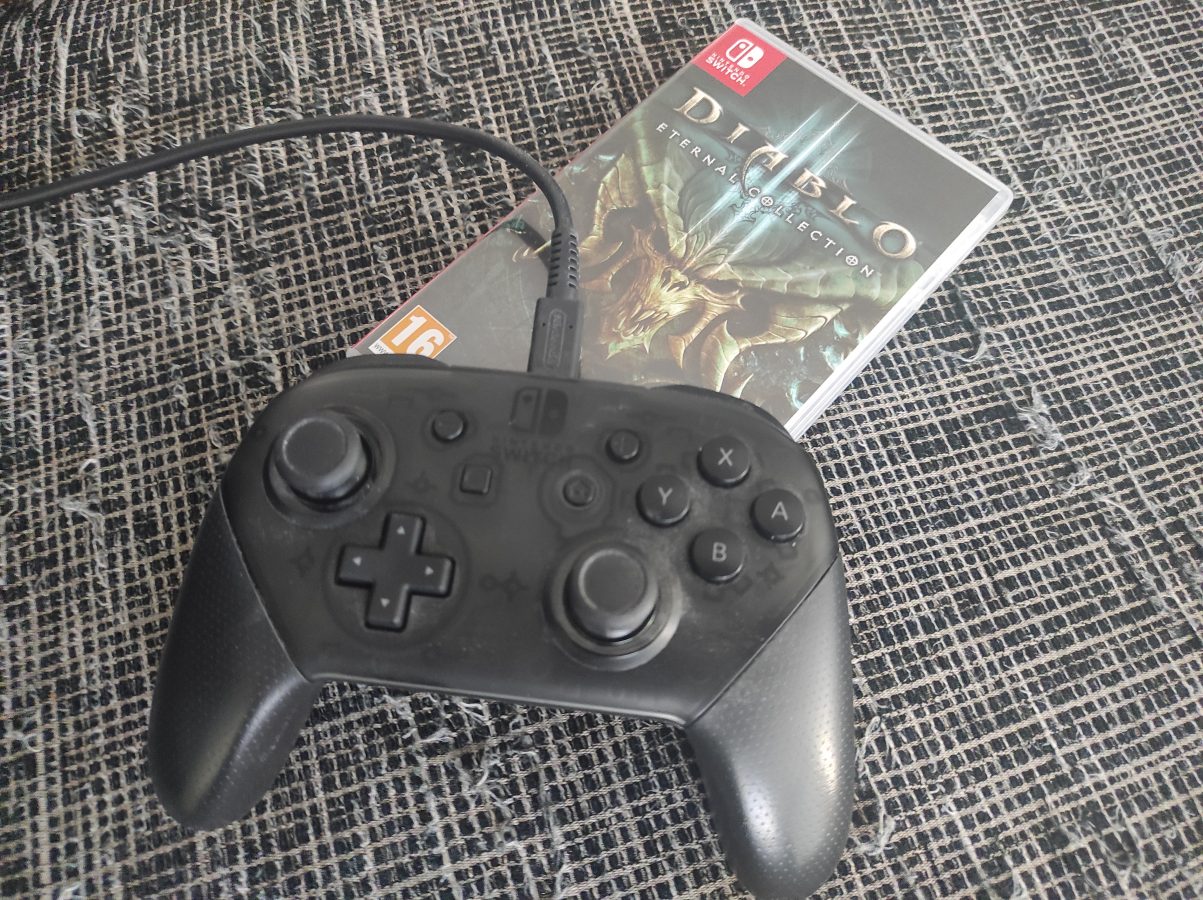
There are three, mainly, three controllers I have used. They are Sony Dualshock 4, the controller of PS4, Microsoft Elite Pad, that is designed for Xbox One and, my latest addition, PDP Neon Carbon that is used, mainly, with Xbox Series S/X. All these gamepads can be used with Windows 10.

Dualshock 4 (the red controller in the image) needs an app so it can be used. That app is DS4Windows. This gamepad works very well with PC. Only thing that is really annoying is the mapping of buttons. As I have learned by my experience, Windows apps tend to map controllers as Xbox One or Xbox Series S/X controllers. This is a bit irritating. I think this issue can be solved. There are for example USB dongles that can be used as a solution. As I noticed this problem I had a quick fix for it already – I changed to my oldest gamepad that is Elite Pad (the one in the middle in the image).

Buttons have been configured correctly when you are using Xbox One’s gamepad. It is often taken care that a controller that can be used in a Xbox Series console will be compatible with Windows also. I think you can even take a Xbox 360 controller and plug it in so you can use it to play with a PC.

By the way, all these controllers I have been using have had a wired connection. I haven’t even tried to get bluetooth to work with these. Why would I do that? My desktop doesn’t even have a bluetooth itself. I use a bluetooth dongle for a wireless connection whenever there is a need for such. It also seems that all these three controllers have a USB-to-micro-USB connection. Even the third gamepad, that is meant for new Series X, also sports a micro-USB, instead of the most popular, USB-C. This however makes only a little difference. And basically all you need is a cable that has about a metre or one and a half metres of lenght.

So, I was very involved in this and I was using the Elite Pad. It is of a very good quality. It was expensive and it has served well over ten years of use. After all, it started to break down a bit. There was a part, that I think was originally glued to its place, that I had to remove. It was sticking out and the controller didn’t fit so nicely anymore. I decided to get a newer controller. Of course my thoughts were to buy a controller of Xbox Series X. I had some thoughts about DualSense, but since Xbox and Windows go well together, I decided to go for the Xbox on this one.

It first seemed that the replaicment would definitely be a combo of wired and wireless. It would be an Xbox Series X controller. I first thought that I would buy the official controller. I made my way to a store. I found out that they were actually out of these controllers. I noticed an optional model. It actually was this PDP Xbox Series X controller.

The controller was only 45 euros or so. So it was 20 euros cheaper than the official controller. When it comes to gaming this kind of a swing can be a gamechanger. And that’s how it was for me in this situation. I got the gamepad and went home as a happy duude.

First thing I noticed with this controller was that it doesn’t have a battery included. It is a wired controller. It has a functionality and you can remove the cord. This might seem useless but it actually makes sense in a way. You can replace the cord if you are on the move or if it gets damaged in some way. It is very light. The feel is awesome. I like this controller and I haven’t noticed anything to complain about. It is compatible with Windows 10 and you don’t necessarily need any app to use it in this way. There is some sort of an app avvailable as a donwload.

We can have a tiny summary here out of this blog post. I am very content on my new controller. It is a nice update to my old Elite Pad. I have to say that Elite Pad really served very well for its price of 130 euros. It has an option to load a battery in it. It also has some adjustments and a bit of weight for the controller to feel good. It was although time to move on with it. You can also try to use PlayStation controllers with a PC. Some games might feel better this way. I didn’t go through Linux or Mac gaming in this blog post but as you can probably figure there is a wholea other world in that way also.