Remembering PS4

It has been eleven years already since I bought my PS4. I remember hooking it up back in the day and replacing my PS3 in my gaming setup. Back in 2014 I only used one gaming console. So, I had only PS4 connected to my television for several years. I have lots of games for PS4 in my game library. Today I am thinking about getting a PS5t that was released already five years ago. I am also waiting eagerly for PS6 to drop some day.

Lately I have not focused so much on playing video games on my PS4. It is still a very good console. Although it has its limitations. It doesn’t have a SSD and uses HDD hard drive instead. I remember clearly replacing the HDD that was only 500 GB to one that had 2 TB of space. This was an easy way to update the system and the hard disk I bought wasn’t actually pricey at all. I definitely think that extra hard disk space is expensive on newest Xbox consoles (Series S/X). I do have a 1 TB space unit installed on my Xbox Series X. Series X also has 1 TB of internal disk space unlike Series S that has only half of a 1 TB. There are also some newer models available that have different amounts of internal disk space.

I have been thinking, lately, about buying a PS5. It has some good exclusive games that I would like to play. I did buy a new PC two months ago. It was a bit of a disappointment for me. I paid over 1 500 euros for a new Windows 11 desktop computer. When I started playing Silent Hill f the computer was running the game at 30 FPS. I thought that a computer that has such a high price tag would perform way better. But this was the case after all. I think today a desktop PC can cost over 3000 euros and you are still not going to get a good performance. So, why not buy a PS5 for about 500 euros. I do know that it cannot be as powerful as a PC that cost several thousands of euros but it does save a lot of money.

You can also play PS4 games on a PS5. You cannot listen to music from audio CDs on a PS5. The backwards compatibility is a nice thing for me as a gamer because I do have lots of games for PS4. When PS4 was released back in 2013 (I bought it in 2014) it didn’t have a backwards compatibility at all. Also the release of PS4 was the point when a newest PlayStation didn’t support CDs as a format for games or music. PS4 still outsold Xbox One that had also many problems. As a console generation this was somewhat a dull one I think.

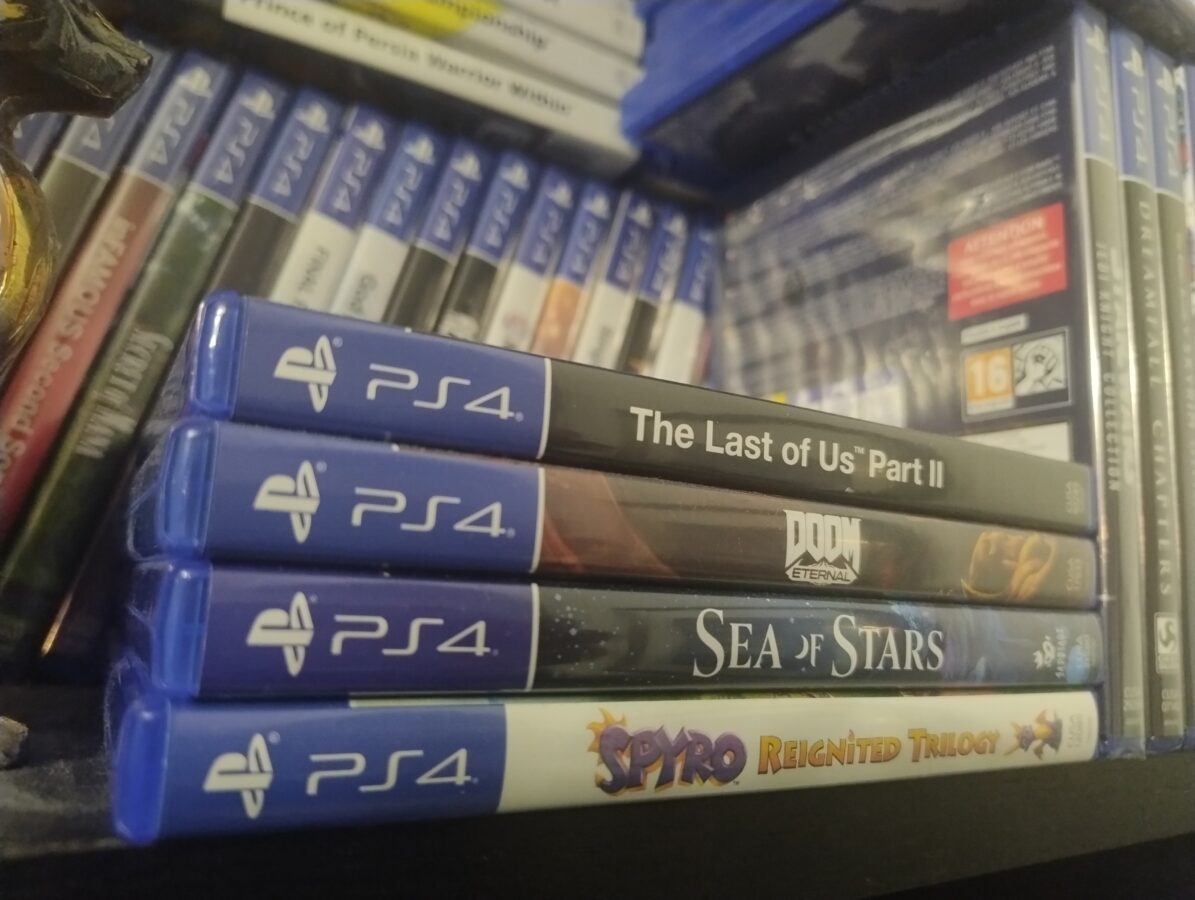
I think that the most interesting games that are available only for PS5 as exclusives are Silent Hill 2 Remake, Ratchet & Clank – Rift Apart, Astro Bot and Spider-Man 2. Some of these exclusive games are available for other consoles or for PC. Some titles I have already enjoyed very much on PS4. These games are Gran Turismo 7 and God of War – Ragnarök and also Spider-Man Miles Morales. I am hoping to get to play PS4 games God of War and Uncharted 4 and also The Last of Us Part II that I already own but haven’t yet played so much.

If we briefly gather here some thoughts about PS4 in this last paragraph of todays blog post we can conclude that PS4 was a remarkable system that sold very well. There were no delays in deliveries as was the thing with PS5 during pandemia. The first game that I played on PS4 was Tomb Raider. PS4 saw many games that were very good. It also had some exclusive games. There is information moving around and it is rumored that Sony would stop manufacturing PS4s in 2026. PS4 has sold to this day over 115 million units world wide.

About Modern PC Controllers

This blog post deals with controllers for PC. I have used these three different gamepads for gaming on Windows 10. I don’t know, exactly, how these controllers work in Linux gaming. So, that part is out of the context of this post. Let’s get to it!

There are three, mainly, three controllers I have used. They are Sony Dualshock 4, the controller of PS4, Microsoft Elite Pad, that is designed for Xbox One and, my latest addition, PDP Neon Carbon that is used, mainly, with Xbox Series S/X. All these gamepads can be used with Windows 10.

Dualshock 4 (the red controller in the image) needs an app so it can be used. That app is DS4Windows. This gamepad works very well with PC. Only thing that is really annoying is the mapping of buttons. As I have learned by my experience, Windows apps tend to map controllers as Xbox One or Xbox Series S/X controllers. This is a bit irritating. I think this issue can be solved. There are for example USB dongles that can be used as a solution. As I noticed this problem I had a quick fix for it already – I changed to my oldest gamepad that is Elite Pad (the one in the middle in the image).

Buttons have been configured correctly when you are using Xbox One’s gamepad. It is often taken care that a controller that can be used in a Xbox Series console will be compatible with Windows also. I think you can even take a Xbox 360 controller and plug it in so you can use it to play with a PC.

By the way, all these controllers I have been using have had a wired connection. I haven’t even tried to get bluetooth to work with these. Why would I do that? My desktop doesn’t even have a bluetooth itself. I use a bluetooth dongle for a wireless connection whenever there is a need for such. It also seems that all these three controllers have a USB-to-micro-USB connection. Even the third gamepad, that is meant for new Series X, also sports a micro-USB, instead of the most popular, USB-C. This however makes only a little difference. And basically all you need is a cable that has about a metre or one and a half metres of lenght.

So, I was very involved in this and I was using the Elite Pad. It is of a very good quality. It was expensive and it has served well over ten years of use. After all, it started to break down a bit. There was a part, that I think was originally glued to its place, that I had to remove. It was sticking out and the controller didn’t fit so nicely anymore. I decided to get a newer controller. Of course my thoughts were to buy a controller of Xbox Series X. I had some thoughts about DualSense, but since Xbox and Windows go well together, I decided to go for the Xbox on this one.

It first seemed that the replaicment would definitely be a combo of wired and wireless. It would be an Xbox Series X controller. I first thought that I would buy the official controller. I made my way to a store. I found out that they were actually out of these controllers. I noticed an optional model. It actually was this PDP Xbox Series X controller.

The controller was only 45 euros or so. So it was 20 euros cheaper than the official controller. When it comes to gaming this kind of a swing can be a gamechanger. And that’s how it was for me in this situation. I got the gamepad and went home as a happy duude.

First thing I noticed with this controller was that it doesn’t have a battery included. It is a wired controller. It has a functionality and you can remove the cord. This might seem useless but it actually makes sense in a way. You can replace the cord if you are on the move or if it gets damaged in some way. It is very light. The feel is awesome. I like this controller and I haven’t noticed anything to complain about. It is compatible with Windows 10 and you don’t necessarily need any app to use it in this way. There is some sort of an app avvailable as a donwload.

We can have a tiny summary here out of this blog post. I am very content on my new controller. It is a nice update to my old Elite Pad. I have to say that Elite Pad really served very well for its price of 130 euros. It has an option to load a battery in it. It also has some adjustments and a bit of weight for the controller to feel good. It was although time to move on with it. You can also try to use PlayStation controllers with a PC. Some games might feel better this way. I didn’t go through Linux or Mac gaming in this blog post but as you can probably figure there is a wholea other world in that way also.