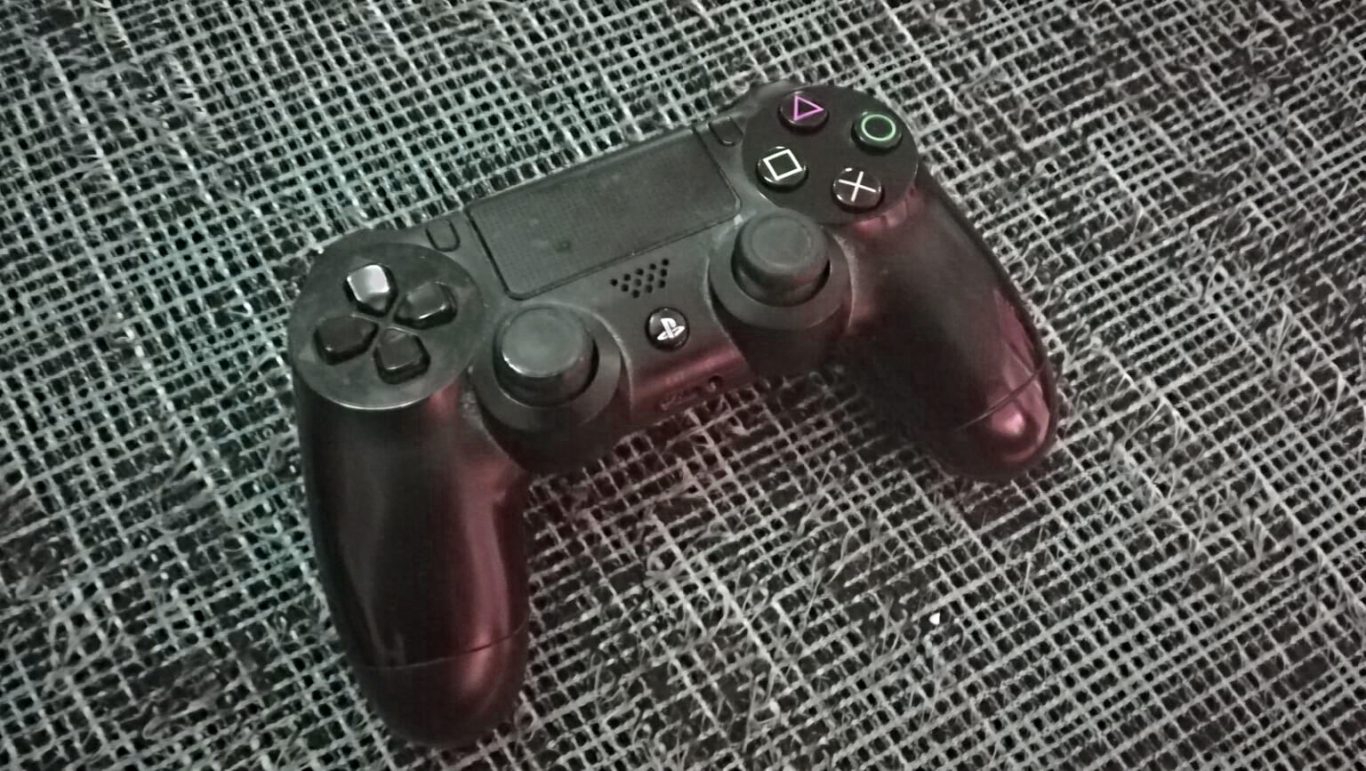
Connecting gamepad of PS4 to your PC

I have for a long time used Xbox Ones Elite gamepad for playing games on my PC. This is fine when dealing with PC games but when it comes to PCSX2, the emulator for PS2 games, I would like to play with a good gamepad that has buttons layed out correctly. What I mean is I would like to play with a PlayStation controller. It is kind of stupid for me to play PS2 with Xbox gamepad.

This is where a program called DS4Windows comes in to play. It is very simple to use. You just run the application and connect your DualShock 4 gamepad to your computer. You can use USB or Bluetooth connection. That’s right – you don’t need to connect your controller necessarily with Bluetooth since a USB cable works just fine. You can download this application from http://ds4windows.com/ .

I am planning on buying another DualShock 4 gamepad to use for this particular purpose. I currently only have one of these controllers. They are in my opinion a great way to somewhat make PS2 games more playble and modern. So the player can concentrate to the game instead of loosing interest as the gamepad is too bad. This can be a great improvement considering FPS games like Call Of Duty series’s games that were hardly as nice to play with older gmaepad like DualShock 2.

As PS5 will be released, I think it’s going to be sometime in November this year, there is a new controller introduced to large audience. It is called DualSense. I don’t have any experience, which in this case is understandable, of this new gamepad. I am a bit excited about it and I am curious of what kind of quality and playability it will have inside. There are some great differences between Xbox and PlayStation gamepads. One of the biggest is the layout of thumb sticks on these gamepads. I hope the new PS5 pad gives us many new improvements in technology of gaming controllers.

The legacy of Colin McRae Rally

Now that Dirt 5 is coming to us later this year it would be nice to think about how Codemasters started this whole rally game thing. So it was 1998 and PS1 was the best and most popular gaming system out there. We had already seen some really good racing games. Gran Turismo was released early in 1998. The first Colin McRae Rally game was good, but in my opinion, the second game was even better. It had some awesome physics modeling that made it the most realistic rally game of its time. Back then racing games were mainly played with gamepad instead of a wheel and pedals. This made playing not so realistic but also really fun and it also demanded a good concentrating.

Two first games were popular. Third game, Colin McRae Rally 3, was released on the next generation of gaming consoles. It was released for PC, PS2 and original Xbox. I really liked this game also. Graphics are better than in the first two games but the feeling and controlling is very much like in these first two games. Colin McRae Rally 04 and Colin McRae Rally 2005 followed some years after. It tells a lot about this games popularity that there were so many games released. It actually had competitors. One really good simulation rally game was Richard Burns Rally. Some players thought that Colin McRae games weren’t actually the most realistic racing games that existed. That was about to change. But it took several years for Codemasters to develop its most realistic rally simulation game yet. I am talking about new games that were released to PS4.

Dirt series started with Colin McRae DiRT. It brought nice rally driving experience along with some other kinds of vehicles for players to drive with. It was a good racing game. It was followed by Colin McRae Dirt 2 and Dirt 3 that were both released, also with the Dirt series’s first game, on Xbox 360, PS3 and PC. I talked about how Codemasters were also beginning to develop a racing game that would be more realistic. The game, which also has a sequel, was Dirt Rally. It was released for PS4 along with PC and Xbox One. It brought realistic driving experience to players that could even use wheel and pedals to play this racing simulation.

Surely there are many racing games and even series’s of racing games. Colin McRae Rally is still very important to me and close to my hearth. It introduced me to rally games. I also played other racing games, but not really any other rally games. With Dirt Rally 2.0 and Dirt 4 released already some years ago rally game fans will know where they are turning their heads to as they need some more rally gaming experinces. The saga continues as Dirt 5 will be released later this year.

Solution for playing games on a smart phone

Smart phones are today very powerful devices. They are able to run many applications and it’s common to view video material and also to play games on these devices. There still do exist some problems. The touch screen of any modern mobile device including tablets is not the best way to control for example the main character of a platformer. There is a solution and I am going to introduce it to you my dear readers.

iPega is a chinese company that has brought an innovative solution for playing games on mobile devices available for consumers world wide. It is basically a small gamepad that uses Bluetooth technology to transfer players inputs and commands to the device. It has a battery included that can be charged with basic micro-USB charger. The battery lasts for long enough and if you want to make sure that it doesn’t shut down in a vital moment you can plug your gamepad to charger. You can do this to your phone also if you are conserned about how long will its battery last.

This gamepads model is PG 9017 S. There are many different models available. They don’t cost so much. I remember buying my gamepad for just under 30 euros. It uses Bluetooth, so you have to pair it with your phone and also connect to it. This happens by pressing two buttons for couple of seconds. There are different modes so you might have to test which mode to use for the connection. The gamepad has nice amount of buttons. It has axis-button, X, Y, A, B buttons and select and start buttons and two shoulder buttons on left and right. It also has two thumb buttons. It can signal the user when battery is starting to run low. The user can attach this controller with some kind of a clip. So the phone goes on top of this mechanical system placed horizontally. The clip is strong and it doesn’t allow the phone to slip out or move at all.

I haven’t any serious issues with this product. It’s a cool gamepad that you can take on a trip too as its battery doesn’t require so much power. You can install some emulators and transfer some ROMs to your device. Be aware of your phones memory capacity as ROMs can take some space. You can even buy a memory card if your phone is compatible. Just remember the thumb rule – if you don’t own the game don’t copy it. That’s illegal. But you can really have fun with this kind of a setup. You can for example play games of consoles like NES, SNES, Mega Drive or even Nintendo DS. Earlier gaming consoles don’t require so much from your hardware but when we are talking about more modern systems, such as PSP emulators, there might be some system requirements that you will have to take in consideration.