About Modern PC Controllers

This blog post deals with controllers for PC. I have used these three different gamepads for gaming on Windows 10. I don’t know, exactly, how these controllers work in Linux gaming. So, that part is out of the context of this post. Let’s get to it!

There are three, mainly, three controllers I have used. They are Sony Dualshock 4, the controller of PS4, Microsoft Elite Pad, that is designed for Xbox One and, my latest addition, PDP Neon Carbon that is used, mainly, with Xbox Series S/X. All these gamepads can be used with Windows 10.

Dualshock 4 (the red controller in the image) needs an app so it can be used. That app is DS4Windows. This gamepad works very well with PC. Only thing that is really annoying is the mapping of buttons. As I have learned by my experience, Windows apps tend to map controllers as Xbox One or Xbox Series S/X controllers. This is a bit irritating. I think this issue can be solved. There are for example USB dongles that can be used as a solution. As I noticed this problem I had a quick fix for it already – I changed to my oldest gamepad that is Elite Pad (the one in the middle in the image).

Buttons have been configured correctly when you are using Xbox One’s gamepad. It is often taken care that a controller that can be used in a Xbox Series console will be compatible with Windows also. I think you can even take a Xbox 360 controller and plug it in so you can use it to play with a PC.

By the way, all these controllers I have been using have had a wired connection. I haven’t even tried to get bluetooth to work with these. Why would I do that? My desktop doesn’t even have a bluetooth itself. I use a bluetooth dongle for a wireless connection whenever there is a need for such. It also seems that all these three controllers have a USB-to-micro-USB connection. Even the third gamepad, that is meant for new Series X, also sports a micro-USB, instead of the most popular, USB-C. This however makes only a little difference. And basically all you need is a cable that has about a metre or one and a half metres of lenght.

So, I was very involved in this and I was using the Elite Pad. It is of a very good quality. It was expensive and it has served well over ten years of use. After all, it started to break down a bit. There was a part, that I think was originally glued to its place, that I had to remove. It was sticking out and the controller didn’t fit so nicely anymore. I decided to get a newer controller. Of course my thoughts were to buy a controller of Xbox Series X. I had some thoughts about DualSense, but since Xbox and Windows go well together, I decided to go for the Xbox on this one.

It first seemed that the replaicment would definitely be a combo of wired and wireless. It would be an Xbox Series X controller. I first thought that I would buy the official controller. I made my way to a store. I found out that they were actually out of these controllers. I noticed an optional model. It actually was this PDP Xbox Series X controller.

The controller was only 45 euros or so. So it was 20 euros cheaper than the official controller. When it comes to gaming this kind of a swing can be a gamechanger. And that’s how it was for me in this situation. I got the gamepad and went home as a happy duude.

First thing I noticed with this controller was that it doesn’t have a battery included. It is a wired controller. It has a functionality and you can remove the cord. This might seem useless but it actually makes sense in a way. You can replace the cord if you are on the move or if it gets damaged in some way. It is very light. The feel is awesome. I like this controller and I haven’t noticed anything to complain about. It is compatible with Windows 10 and you don’t necessarily need any app to use it in this way. There is some sort of an app avvailable as a donwload.

We can have a tiny summary here out of this blog post. I am very content on my new controller. It is a nice update to my old Elite Pad. I have to say that Elite Pad really served very well for its price of 130 euros. It has an option to load a battery in it. It also has some adjustments and a bit of weight for the controller to feel good. It was although time to move on with it. You can also try to use PlayStation controllers with a PC. Some games might feel better this way. I didn’t go through Linux or Mac gaming in this blog post but as you can probably figure there is a wholea other world in that way also.
Twin Docking Station

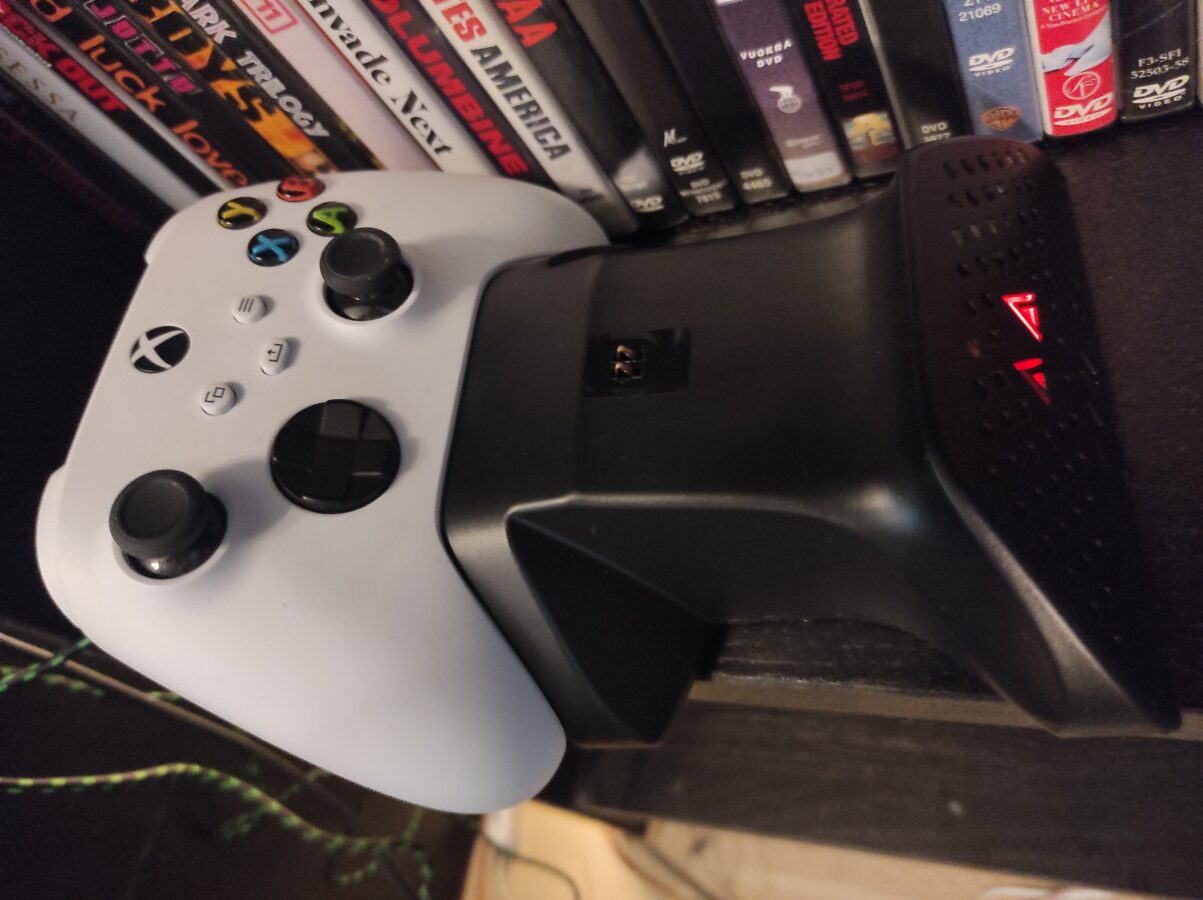
I made a great purchase. Or so it seems right now. I bought a charging station for my Xbox Series S controller. I ordered also another gamepad and it will be delivered later.

So this is Kyzars Twin Docking Station. It came with two chargeable 850 mAh batteries. You must connect the docking station to Series S through a cable. Docking station charges controllers even when Xbox is powered off.

Batteries support both Xbox Series S or X and Xbox One. The package comes with a cover for both controllers and also for both types of controllers (Series S/X and One). I previously had a long three meter cable for my gamepad. I guess I am going to give wireless controllers another try.

I remember not being pleased with wireless controllers as I got my PS4 way back in 2014. The battery was drained out of charge quickly. Then I decided that I have to buy a long cable for every controller I am going to use. This way of thinking might now change.

Using single use AA batteries worked somewhat comfortable. Only disturbing matter was that you actually used these batteries for only one time and then just threw them away. That doesn’t sound good at all thinking about the environment and things like that. I hope that these new batteries that came with this docking station last for a pleasent amount of time. I will have to try and test this as I get more deeper into using this device.

I have to mention that the docking station was very cheap. It cost only 25 euros. If you think that a pack of ten AA batteries costs a bit over 5 euros this seems to be a good price. You will get also four lids that you have to change to your controller that enables charging of the controller.

I connected the charging station to the back of my Series S. It seems to be the best way to connect these devices. I didn’t throw away my three meter controller cable. I hope I don’t have to use it anymore. I will have to play around with these batteries and see if they really keep their charge. I hope they keep their charge for at least three hours. That would be enough to satisfy me.

Some Characteristics of Sega Mega Drive

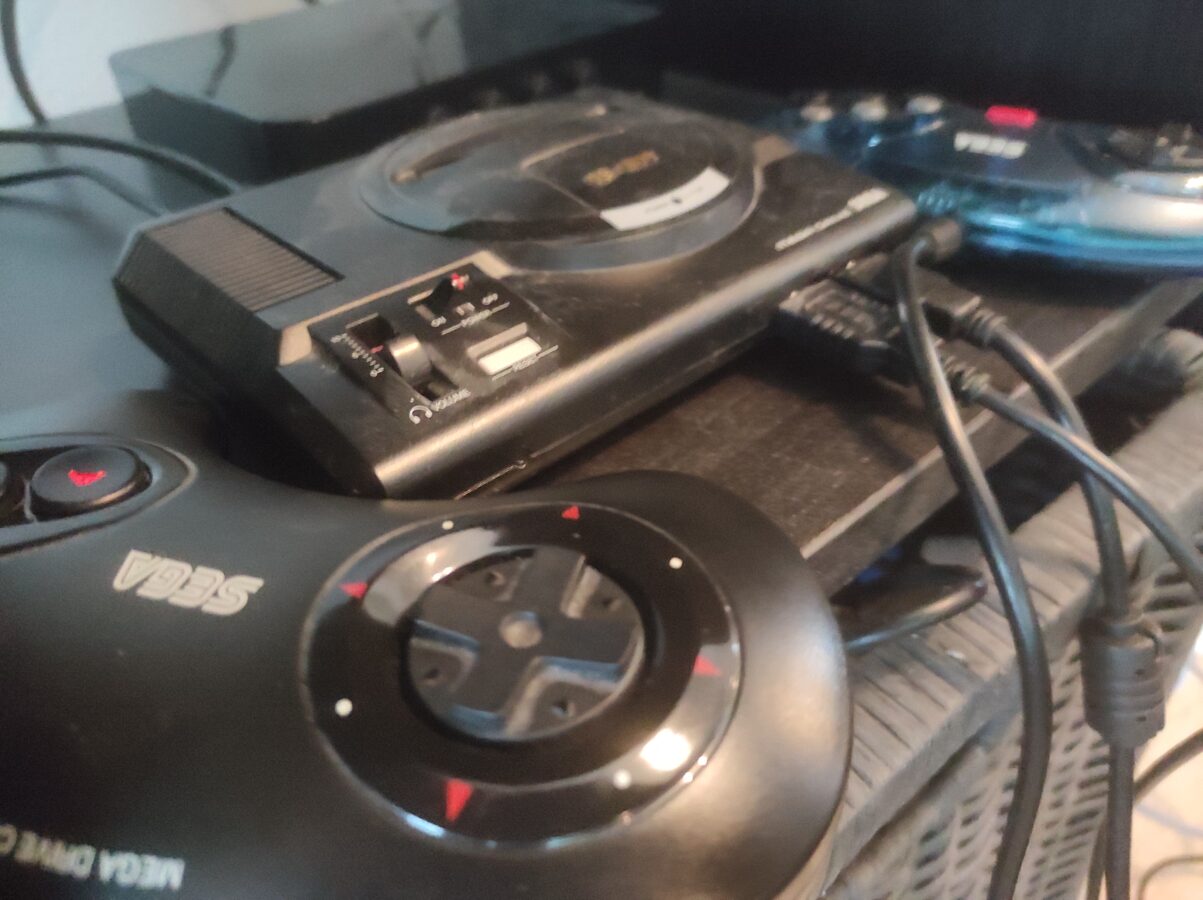
The image included here displays my Sega Mega Drive Mini. I have three controllers for it. One them has six regular buttons and two of them that were originally packaged with the gaming console that have only three buttons on the right hand side of the controller. I think original game pad is better than the updated one.

Today I have a free day. So there’s no work for me today. I had some good time playing some Mortal Kombat. It seems to be one of the best games on this gaming system. Other very nice picks are Castlevania – The New Generation, Dick Tracy, Kid Chameleon and Golden Axe II. There are several titles more that are worth playing. It’s not possible to go through them all here. Maybe I write another post about it later.

It is said that Mega Drive games repeat themselves and the gameplay is rough. It is sometimes said that Mega Drive games are worse than Nintendo games of the same era. I wouldn’t say it like that. You can compare these systems, NES and Mega Drive, but to think clearly, you should consider them to be different. You might like Nintendo games more. Or you might think like I do and I think these consoles are both good in a certain way.

Sega’s games are maybe harder to play. They definitely are more violent. In some ice hockey games there is fighting and in Mortal Kombat you can see blood as you hit or kick your opponent. NES’s games are more complex and maybe a bit more better when considering gameplay. But Nintendo’s games can be called childish. In a matter of fact this is a case of sense of taste and you can’t really argue on these.

When it comes to 16-bit devices Nintendo might have better performance in SNES than Mega Drive. That’s natural as SNES was released years after Mega Drive. I think Mega Drive had good graphics. SNES maybe had a bit better ones. But it is clear that these two represent the best quality of their own time. In the 90s you found some good games that brought you maybe the best graphics that were possible to produce as 2D graphics. When the next generation consoles were released they were heading strongly towards 3D.

I have greatly enjoyed my Mega Drive Mini. It’s price tag was about 60 euros. As I mentioned in the beginning of this blog post it came with two controllers. It takes days of two to three hours of playing to really understand this console. You will find the best parts of it. And of course you will also find the limitations that this device has. Things have progressed in designing of games and of course the technology has advanced. We might even see some new games to be released for Mega Drive even today.