Some Problems with Retro Hardware

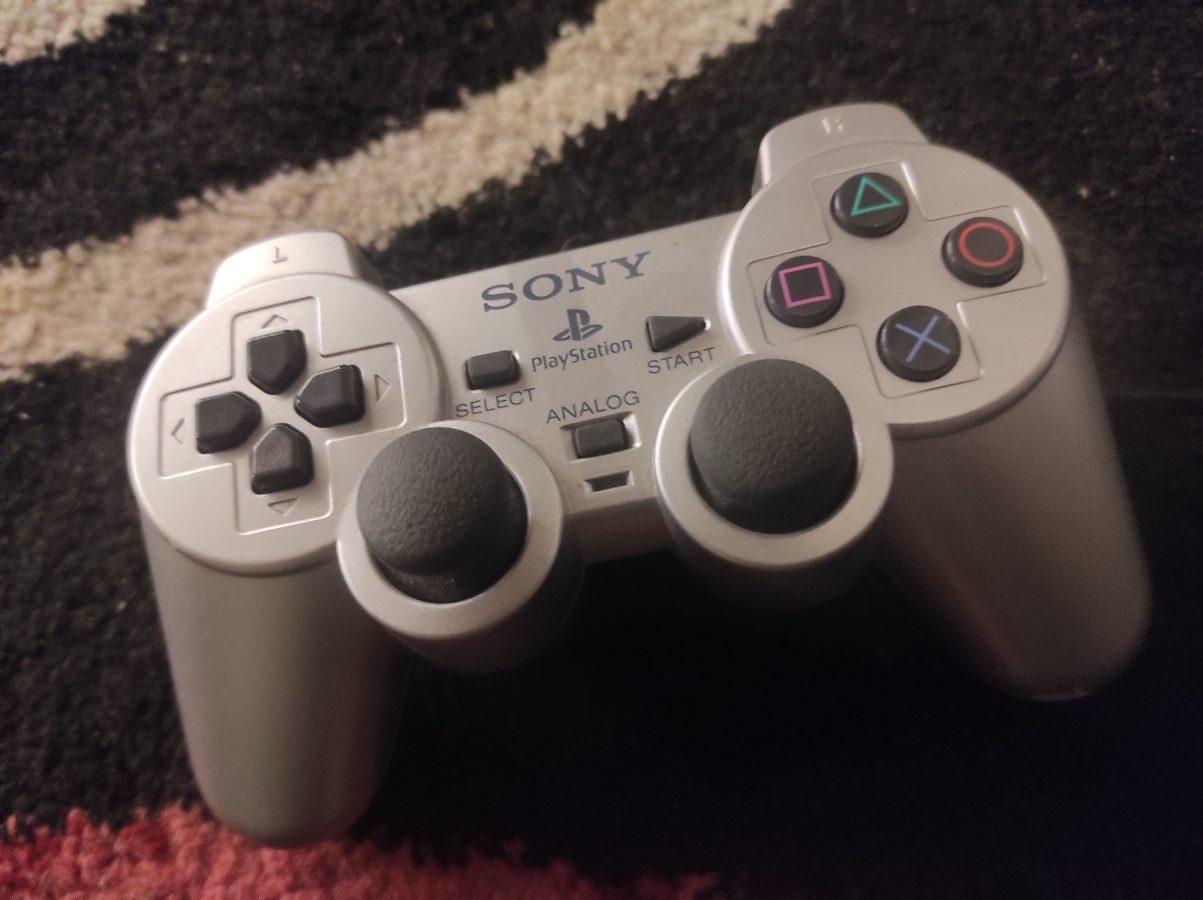
As you have probably noticed I have been lately playing lots of PlayStation 2 games. My console is fairly new. What I mean is that I have only owned it for under a year or so. It is now malfunctioning. I am having problems with audio and video being cut off in the middle of playing a game like Need for Speed Prostreet or Tenchu – Wrath of Heaven. They come back after some seconds but what it comes to playing this is very disturbing.

Well what can you expect? This device is old. PS2 was released over 20 years ago. Would you expect some similar device, like computer, to function after this long of a time? Probably not.

This isn’t the first time that I am coming across issues with old hardware. I have had Xbox, Xbox 360 and earlier I had one other PS2 that started to malfunction. It couldn’t read the disc anymore. Dust can be one issue. One issue is that these old parts just aren’t reliable anymore after all this time that has passed.

You can, of course, try to fix the console yourself. This can be tricky. Not everyone is capable of doing this on their own. You can contact your closest electronic repair shop and ask them how much would they charge for the repairment of your console. There is also one more option and it seems to be an interesting one.

I am talking about emulation. You have retro games but you aren’t able to play them since your gaming console is broken. Why not make copies of them for your own use? I think it is reasonable since the console is broken, right? And with games that are on DVD this shouldn’t be an issue. What we know is that PS1 and PS2 games can be ripped to ISO files (files that end in .iso) with proper tools (software).

There are many options available. Some years ago I came across NVIDIA Shield TV. It is a device that makes your regular television a smart device that is basically operating on Android. You can install RetroArch to it. It is this kind of a forntend that you can run retro games on. It combines several emulator together. I found this to be handy with for example PS1 games. You could even hook your PS4 controller to the Shield TV with Bluetooth. You can install RetroArch on several devices. Windows and Linux are also supported along with Raspberry Pi.

You can also use a full Linux operating system on any PC that you can also hook up to any television that has the connectivity required. That is means to transfer video and audio from your dedicated computer to your television. One popular opertating system of this kind is Lakka OS.

Lakka OS boots up to its own user interface. You only need to go through some menus with your controller. This can be any USB controller that you might have. Lakka OS supports several retro gaming platforms including NES, SNES, Mega Drive and so on. The full list can be found from your favorite search engine. I can tell you that this list is long.

What I am most interested about concerning emulation, like using Lakka OS or RetroArch, is playing games of PS1, PS2 and GameCube. I can currently play my NES, SNES, Game Boy, Mega Drive and Master System games with my Retro Trio console and with the assistance of some adapters (Master System->Mega Drive adapter and SNES->Game Boy adapter). I also have a Mega Drive Mini also for playing Mega Drive games. I also play PC games. I also play games on newer systems like Xbox Series X, PS3, PS4 and Nintendo Switch. As you can imagine my setup is huge.

I hope this blog post gave you some ideas concerning playing retro games. The hardware isn’t perfect. It does wear out with time. Software emulation might provide a more stable way for a gamer to enjoy his/her retro games for a long time.

Could This Be The Answer?

With all these hardware consoles you get a sense that there could be an easier solution. This answer would be in this case one single personal computer connected to the 4K telly with a single HDMI cord. It would take only one HDMI port. This isn’t a hallucination. There already are several computers available for this task. It doesn’t take a rocket scientist to figure out that the power that one modern PC today holds can handle almost any gaming console emulator from NES to PS4.

You would need one PC. This would cost something from 300 euros to several thousands of euros. You would also need a controller. I prefer Xbox Series S/X controller when it comes to emulator gaming. If you would like to change a controller between systems you would need to assign keys over and over again. You could be able to make a profile for every controller of every system. However it would be easier to play all systems with only one controller.

The first thing you need with this kind of setup is a reliable Linux operating system dedicated to emulation. At first it seems I would choose Lakka OS. It is a nice emulator that allows you to run several different emulators of different gaming systems. After setting up you don’t need to actually unplug your controller or get to your keyboard at all. So, I prefer Lakka OS. There are other operating systems available, like Retropie, Recalbox and Batocera. The last mentioned can be run from inserted USB stick without any other kind of installation.

If you want to play emulated games on systems like GameCube, PS2, original Xbox and Sega Dreamcast, you will need a powerful computer. I would say that you need more than a Raspberry Pi 4 can provide. I am not going to give you detailed specifications here. We can of course check what are the recommended requirements for an emulator like PCSX2. We can get to a conclusion that you would need at least 8 GB of RAM and a GPU with something like 4 GB of VRAM and capability to run DirectX 11 or OpenGL 4.5. Well, what about the processor? The processor would need to support AVX2, have a rating of 2600 and have four cores with or without hyper threading.

This kind of an emulation station could be your solution to this very interesting question. As prices of games are ricing this would make your wallet heavier at least for a while and enable you to play lots of retro game content. There is of course also the question about breaking every copyright law that exists. This is a difficult matter. Let’s just say that it is not legal to load hundreds of games from internet for free. While this is illegal there seems to be very few choices. You can pay hundreds of euros of games that cannot or are very hard to rip to ROM file and play with your emulator. Some emulators need also the BIOS of the system they are emulating.

Nintendo has been busy bringing its retro content available for those that have an online Nintendo account. You can probably figure how popular retro games currently are. It must be stated that it would be nice, for us game hobbyists, to be able to somehow get our hands to this content for a reasonable price. Playing original games on original hardware is becoming more and more expensive. And it must be said that game consoles don’t last for several decades and must be at some point at least repaired.

Something New in PlayStation 1 Emulators – DuckStation

I keep my eye on YouTube. I watch videos there. Gaming is one of the topics that I am most interested in. It doesn’t come as a surprise that there are countless videos about Xbox Series S. I found a very interesting information from one specific video that introduced a way to play PlayStation 1 games on your new Xbox.

This is possible through a new retro game emulator called DuckStation. I am not going to go to all the details of how playing PSX games this way is actually possible. After all it is possible. You have to enter to Xbox Series S in a “developer” mode. Then you will have to install DuckStation and tweak the settings. Of course you need also the BIOS and roms of all the games you are going to play.

DuckStation is a very powerful emulator application. You can enhance your graphics a lot and it is promised that you can play old PS1 games with a 4K resolution. Why would you want to use your new Xbox for this? Maybe it is because it has a limited hard disk space or maybe you just haven’t found the most interesting games for this new console. What ever the reason for you to be interested in DuckStation is it can provide you an experience on retro gaming once again with all your classic PS1 games. DuckStation is also available for Android and Linux and Windows.

I am not so interested in this way of using my new console for retro gaming. I prefer to play my emulated PS1 games on a PC. There are many reasons. One is that you can choose to use Dual Shock 4 controller through DS4Windows. I prefer to use my controller this way instead of using the new Xbox game pad. Playing PS1 games with Xbox’s controller? That’s definitely a no from me. When considering it this would be a good way to expand your collection of games a bit. Maybe you can play Xbox with a different controller somehow?

You can find more information about DuckStation from the link below:

https://emulation.gametechwiki.com/index.php/DuckStation