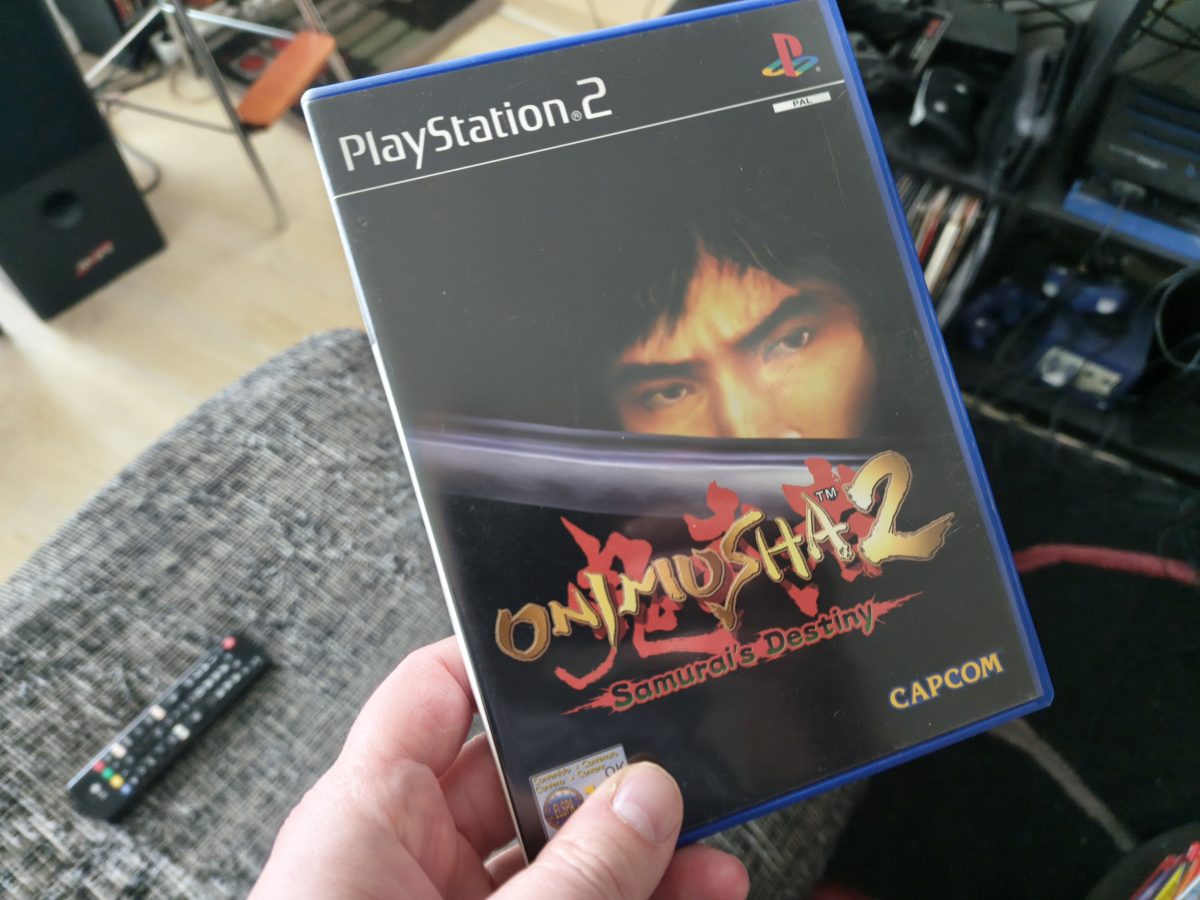
Playing Some Onimusha 2 (PS2)

I put some hours into playing Onimusha 2. This game was released by Capcom back in 2002 for PlayStation 2. This game was part of a purchase I made recently (maybe a week ago or something like that). That time I bought seven games for PS2. These games weren’t so expensive and Onimusha 2 had a price of 25 euros alone. It was the most expensive game out of all the games I bought. I also bought one “loose” game for PS1. That game was Ridge Racer Revolution.

I played Onimusha 2 for a bit over eleven hours. A bit sadly I got stuck badly to a point very near to the ending of the game. It was a very tough part and I just couldn’t get past it. I spent maybe half an hour alone in that part and decided to give up for now. This is not a rewarding way to end playing and trying to beat a game. But I want to be honest and tell you this fact.

Onimusha 2 is a good game. There are however some slight flaws in it. The camera angles make it a bit difficult to navigate at times. Luckily there are some maps in the game that make this a bit easier. There are several puzzles that might be difficult to figure out and solve. I can thank modern internet for being able to solve these issues very quickly. So, I actually didn’t get stuck with them at all. It is a bit difficult to try to figure the progression but I was able to manage to progress all the way to near of the ending of the game.

We can discuss a bit about the gameplay and how the character is getting involved in the action parts of this game. You have several melee weapons in the game and also some projectile weapons can be used. There are endless amounts of enemies and there is no point in trying to kill every enemy you see. Sometimes killing all of them in some area might help you to explore it more thoroughly. You get some health points from killed enemies. You don’t have to use an item every time your health is getting low.

Onimusha 2 is a bit old game. Some retro fans probably can feel some real nostalgia playing this game. You also have this view of how Capcom has developed itself as a game company all the way through the history of video games. You can compare this game to some of the latest games that have been developed by Capcom. I am of course talking about games like Pragmata and Resident Evil Requiem. You can rally see how the technology and also game design has been developing all the way from 2002 all the way to 2026.

At this moment I have many games only waiting on my gaming shelf for me to get my hands on them. Just yesterday I bought the new Halo remake. That game is titled “Halo – Campaign Evolved”. I was going to buy the physical copy but ended up buying it as a digital version. At least I don’t have to wait for the game to be delivered. I also bought “Atari Flashback Classics Vol. 1” since it featured a very interesting Atari 2600 game named “Saving Mary”. I might write something about it to this blog some day. This collection of games has in total 50 games for Atari 2600.

I haven’t yet touched the other PS2 games that I bought a bit over a week ago. Maybe I do have time for them at some moment. There are also some games that are going to be released that I am waiting for. We have already in this blog touched GTA VI. Also I am waiting for Control Resonant and Rayman Legends Retold. There are also many other exciting games going to be released soon.
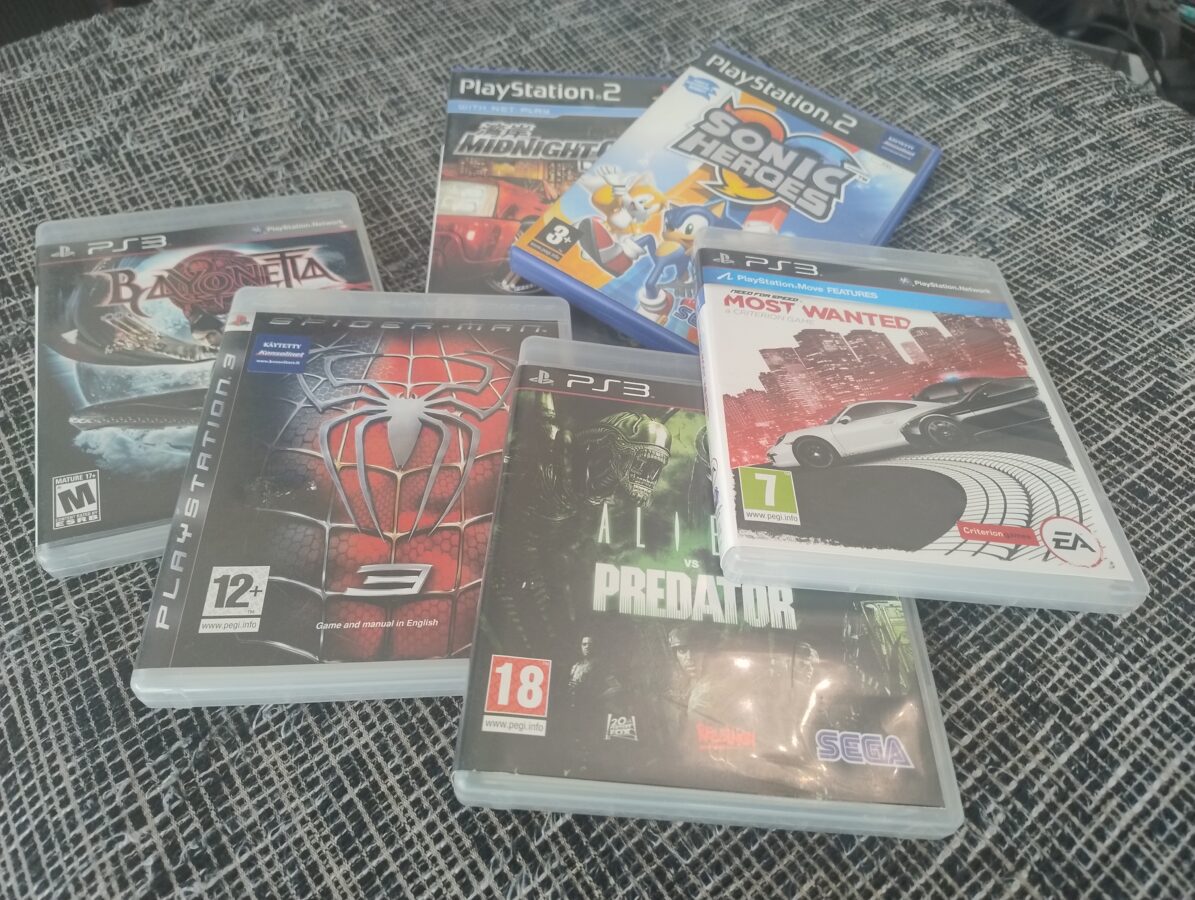
My Latest Game Purchase

My latest game purchase, that I collected from the mail locker just yesterday, includes two PS2 games and four PS3 games. I bought Midnight Club 3 – DUB Edition (PS2), Sonic Heroes (PS2), Bayonetta (PS3), Spiderman 3 (PS3), Aliens vs. Predator (PS3) and Need for Speed – Most Wanted (PS3). They did cost me 109 euros with shipping included. I am waiting to have a chance to get into these new purchases. I am going to have to knock on wood while I’m saying that I am glad that my PS3 still works. It has served already over 16 years in my video game setup. I have faced some issues with hardware earlier. I have two broken PS2 consoles, a broken original Xbox and also an Xbox 360 console that doesn’t work.

Somehow these consoles don’t seem to last forever. I am also not so good at maintaining or repairing stuff like these consoles. I think they actually aren’t even meant to last for tens of years. That is the main reason why I am trusting more and more on emulation. So, I am going to rip these two PS2 games that I just bought and play them with an emulator. I have two different devices that I am running emulation on. One is a Raspberry Pi 5 with 8 GB of RAM. It is running Recalbox. I use it to emulate mainly Sega Mega Drive, SNES, NES, PS1 and also some more exciting consoles while I use another device (a desktop PC) that runs Batocera to play PS2 and some other consoles that require a bit more power.

So, there are two racing games included with my latest game purchase. Midnight Club 3 is a classic racing game. There is really no words necessary for the introduction of a game that belongs to Need for Speed series of video games. This title is labled with “Most Wanted”. It think it will be eventually a good game that might take some hours to get into. Usually I have somewhat liked almost every Need for Speed game that I’ve played.

Why did I pick up Bayonetta? I heard a word or two about it as I was reading a book that desrcibes different video game characters. Bayonetta is a strong female character and it seemed an interesting game and I wanted to purhcase it. I am going to try to find some time to get into this game. I also bought Sonic Heroes because Sonic games just rock. I also bought Spiderman 3. I think there are very few bad games that feature Spiderman. So, why not give it a try. The last game in my latest game purhcase that I haven’t yet mention in this paragraph of this blog post is Aliens vs. Predator. It must be a decent first person shooter.

I made this purchase because I found these games interesting. The price was also cheap. I mean I got these six games for a price lower than what it would have been for two new games. Actually I think you couldn’t buy two new games with 110 euros. It might be possible if the games wouldn’t be brand new releases. I am content with yhis game purchase. I am waiting to get to enjoy also these new games.

I have been lately still playing Gran Turismo 3. It takes some time to finish it. I have spent already over 15 hours on playing GT3. The game might take a bit over 40 hours to finish. Also I have a confession to make. I haven’t, yet dived into plaiyng the new Resident Evil game Resident Evil Requiem. I have read that it is a very good game. I am waiting to get into playing it also soon.

The Power of Batocera

This blog post mostly deals with what Batocera can accomplish as an operating system for a PC. I recently bought a new personal computer. There were many reasons for this and one of them was the global transition to Windows 11. After October 14th (2025) Windows 10 wont be supported anymore by Microsoft. This means that there are no guarantees that your Windows 10 computer would be functional. There will be no security updates. So, I had to buy a new PC mainly because of these considerations.

My older PC was bought at the end of 2020. It wasn’t an old computer. It just wouldn’t be supported by Microsoft anymore after October 14th. I have to agree that it had some age already, but I really wasn’t ready to buy a new computer. I would have liked to use the old one a bit longer than was actually possible. My new PC runs the latest PC games smoothly. It also runs Xbox 360 and PS3 emulation which wasn’t possible with my older PC.

I figured that since my old PC was powerful enough to run PS2, GameCube and original Xbox emulation, I wanted to use it as a retro gaming platform. I have had some nice experiences with Recalbox, so, that was my first option. Well, I wasn’t at first able to get Recalbox installed directly to my older PC. It did run but it was kind of installed to my USB stick. I wanted to try to install Batocera instead. I had heard a lot of positive debate about it. So, I went with Batocera and finally it worked like a dream.

Batocera is an operating system that is very much related to Linux and is also dedicated to being able to run some retro games. My older PC was powerful enough for this purpose. After some fiddling with installations and moving some games to the computer I managed to get some games running. I think original Xbox, GameCube and PS2 have many interesting games for me to play and experiment with. Since all my gaming consoles of this particular era have ended up getting finally broken I figured that emulation could enable me to play these kinds of video games one more time.

I have this issue with older gaming hardware. I have a Nintendo GameCube, Sony Playstation 2 and also an original Xbox but they all broke down as I had them set up in my corner of gaming in my living room. I guess they are gathering too much dust and finally end up not reading the disc at all. I also have a Xbox 360 console that isn’t functional and the reason seems to be dust.

You can actually run Batocera from a USB stick but I wanted to install it to my older PCs hard drive. This required me to boot the computer to my USB stick. This required some fiddling with BIOS settings. This isn’t actually difficult but it requires some knowledge. However there are instructions that can be found online. I also wanted to wipe my disks completely. I did it with a program called ShredOS. Now, this procedure took about 14 hours. I ended up running it through overnight so I wouldn’t need to monitor this. After I got rid of all the content from my hard disks, that were a 2TB disk and a 256GB disk, both of them SSDs, the actual installation process was simple. Of course I had to set up all of these systems BIOSes and move over all the game roms.

I wanted to be able to play my retro games on the Batocera that I had installed with a controller of Xbox Series S/X. I find this controller to be as comfortable as a controller can be. I also bought a good quality cable that was three meters long. This way the controller didn’t need a battery at all. I don’t actually mind about the cable. I actually prefer using cable over using a battery in a controller. The latest Xbox’s controller is also a natural choice because it is very much compatible with a PC. I am playing my GameCube, original Xbox and PS2 games with this controller. It is very versatile as a game pad.

Batocera needs some power to run this kind of emulation. It is nice to be able to actually have a dedicated device for playing retro games like this. I am very content that the system is able to run also Dreamcast games if I would just set up the BIOS and move over the game roms. You can also play some older video game consoles games with Batocera. Some of these games feel a bit clunky since they are a bit old already. All in all I find Batocera a good video gaming operating system for any gamer. It is a good way to utilize also your old personal computer if you are replacing your old PC maybe because of the transition to Windows 11.