Something New in PlayStation 1 Emulators – DuckStation

I keep my eye on YouTube. I watch videos there. Gaming is one of the topics that I am most interested in. It doesn’t come as a surprise that there are countless videos about Xbox Series S. I found a very interesting information from one specific video that introduced a way to play PlayStation 1 games on your new Xbox.

This is possible through a new retro game emulator called DuckStation. I am not going to go to all the details of how playing PSX games this way is actually possible. After all it is possible. You have to enter to Xbox Series S in a “developer” mode. Then you will have to install DuckStation and tweak the settings. Of course you need also the BIOS and roms of all the games you are going to play.

DuckStation is a very powerful emulator application. You can enhance your graphics a lot and it is promised that you can play old PS1 games with a 4K resolution. Why would you want to use your new Xbox for this? Maybe it is because it has a limited hard disk space or maybe you just haven’t found the most interesting games for this new console. What ever the reason for you to be interested in DuckStation is it can provide you an experience on retro gaming once again with all your classic PS1 games. DuckStation is also available for Android and Linux and Windows.

I am not so interested in this way of using my new console for retro gaming. I prefer to play my emulated PS1 games on a PC. There are many reasons. One is that you can choose to use Dual Shock 4 controller through DS4Windows. I prefer to use my controller this way instead of using the new Xbox game pad. Playing PS1 games with Xbox’s controller? That’s definitely a no from me. When considering it this would be a good way to expand your collection of games a bit. Maybe you can play Xbox with a different controller somehow?

You can find more information about DuckStation from the link below:

https://emulation.gametechwiki.com/index.php/DuckStation

Gaming with Raspberry Pi

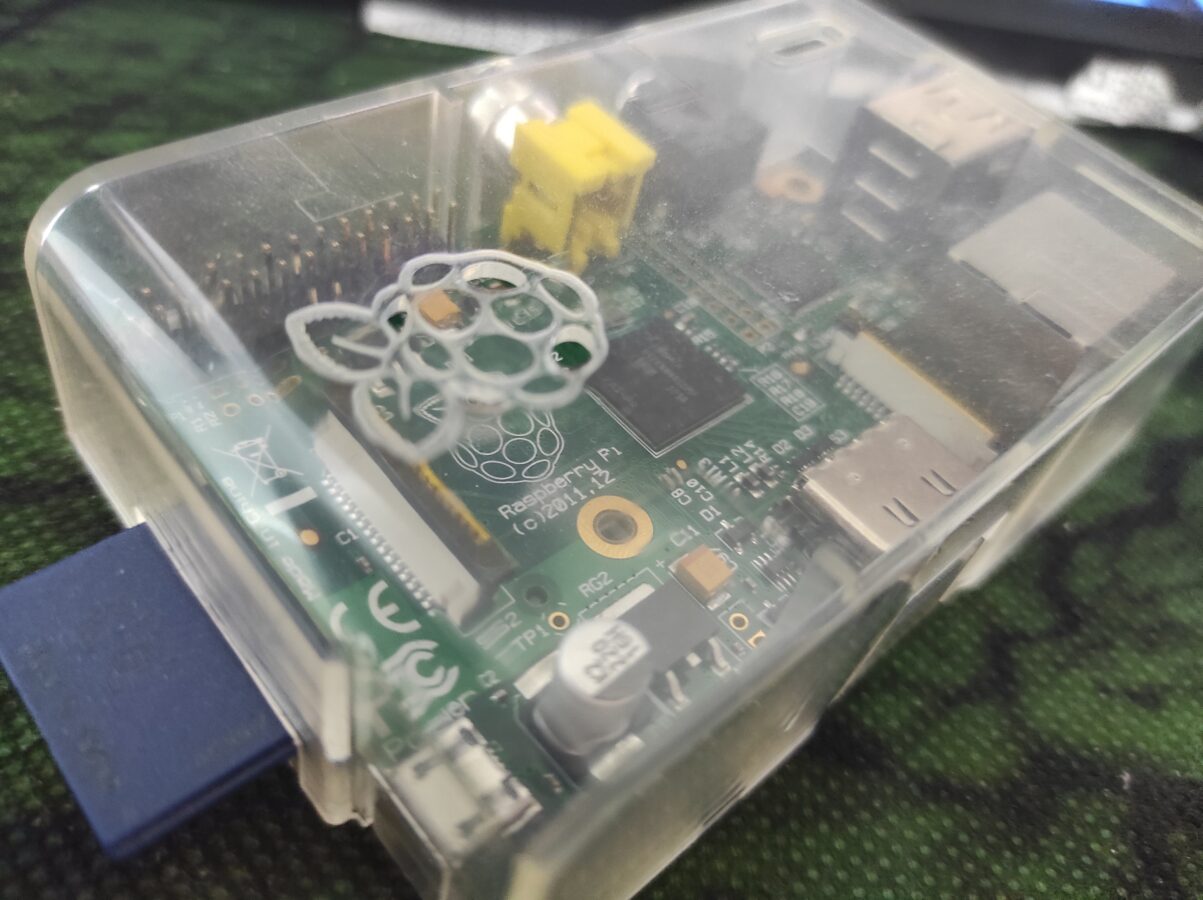
So I have this old Raspberry Pi 1 that I got back in about 2011. While it has many uses I haven’t utilized it in a while. What makes this interesting for the readers of this blog is that it can be used for retro gaming. While it is not able to run decently games that have 3D graphics it is perfectly good for playing retro video games like SNES games to give an example. Newer Raspberry Pis are capable of running some more advanced games that have 3D graphics. It is also not a bad choice to pick up a NVIDIA Shield if you are interested in emulated retro gaming and you want to be able to run games with 3D graphics. Shield can even run some Sega Dreamcast with Sony PlayStation games. If you want to be able to run PS2 games I think this is not, at least yet, your way to go.

So we have this Raspberry Pi 1. It has many ways that you can connect different equipment to it. It has two slots for USB. The connections are white which tells us that they are of type USB 2.0. This doesn’t affect us so much. The connections could be colored blue that only tells that they would be a bit more advanced and more effective in transmitting data through them. But for a USB controller or even Bluetooth dongle would work with USB 2.0s just fine. You can even expand these USB slots with an USB hub. It can provide you more USB slots.

If you don’t want to sacrifice one USB slot for Wi-Fi dongle you can connect your Raspberry Pi to your network and internet with an Ethernet connection. There’s no Wi-Fi built in the first Raspberry Pi but some newer models also have this feature included. So you might want to consider buying for example Raspberry Pi 4 instead of the first release. The first release also only supports SD memory card up to 32 GB. While this is just enough to support playing retro games, it might be too small for some uses. There is HDMI connection which delivers the sound and the picture from the computer to the display. There’s also a slot for video output and a small slot, actually a mini-plug connection, for audio output. Raspberry Pi also needs a power input that is provided with 5V micro USB connection. You can probably use your old smart phone’s cable for this, that is you have one available.

You get that Raspberry Pi needs a memory card  and a power cable to work. You will also need a keyboard, maybe even a mouse, a cable for Ethernet and an HDMI cable. That’s just for setting up. You have to install yourself a good operating system. For gaming I would go with RetroPie or Lakka OS.

Here’s some links:

https://retropie.org.uk/ and https://www.lakka.tv/

There are many ways that you can get the image file to your memory card. You can probably read some deeper instructions from those links that are above this text. It depends on your host operating system but I know that you are able to make the installation with Windows and Linux PCs.

After getting the software installed you need to fiddle around a bit with the settings. You can usually just connect your game pad and configure the controls. After that you only need to use the Raspberry Pi with your controller. You need to transfer the roms to your device also. This can be done in several ways. You can for example transfer them to USB stick or you can transfer them from your local network. I am not getting to this since this blog post is not actually a tutorial. I am only discussing about the possibilities and I am trying to give you a clear picture for what it is like to get your old, dusted, Raspberry Pi to work for you as a gaming device.

I really think that this is all about this subject. You can run your SNES, NES, Mega Drive/Genesis, Master System, DOS and Atari 2600 games like this (just to mention some of the most popular systems). I would recommend for your game pad Logitech’s or a USB SNES pad although there are plenty of possibilities. Some controllers might not work so don’t try to plug your PS4 controller in as it won’t probably work and would need some fiddling.

The Smallest Xbox Ever Released

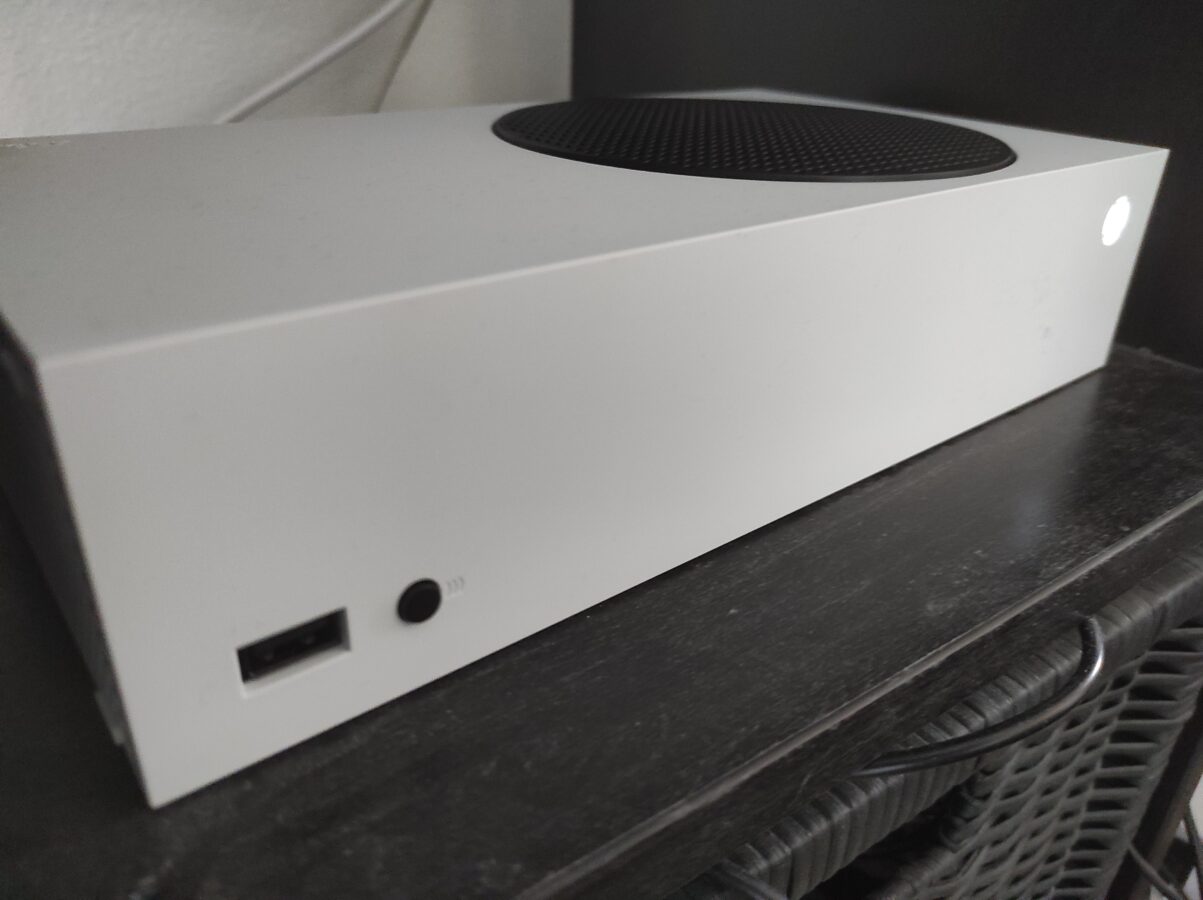
I’m looking at it. I like it. It’s the smallest Xbox that is to this day released. It’s almost as small as PS2 Slim was or is. What got me to buy this thing? Well, I had been thinking about buying a newer Xbox for a while. My thoughts were centered to Xbox One. But why would I buy it for 250 euros when with 310 euros I’ll get a newer Xbox?

There are some things you have to consider when thinking about buying this gaming device. It doesn’t give you 4K video output when playing games. It only goes as far as 1440p resolution which is still a lot better than Full HD. To make this point clearer you can think about PS4 which gives you 1080p resolution and 1080 pixels being the actual height of the display. So, to make this even more understandable, Full HD means a picture that is 1920 pixels wide and 1080 pixels tall.

With not going in deeper details about the sharpness of gaming displays we shall continue this quick explanation about what are my feelings towards Xbox Series S. That’s basically what this thing is called. Why is it called this way? I guess Microsoft wanted to give it some basic name to make it clear what kind of a device it is. There is also another new Xbox model that was recently released. It is called Xbox Series X.

The main difference between these models is that S doesn’t have an optical disk drive at all while X has. X has also this 4K gaming display supporting ability. X is also a bit more expensive. It costs about 520 euros. The situation globally has been  tough. There haven’t been many opportunities to buy this new console be it the S or the X. I am also very satisfied that I got mine so fast as I’ve heard that some people have been waiting for their console for as long as six months.

What more would I want to tell you about this new console? It has been working nicely. The first game I bought for it was Remedy’s Control. I also bought Halo 5 and a remake of Final Fantasy 8. I wasn’t actually thinking about sales but I found out that there was, and actually still is, going on a sale in Microsoft’s Xbox Store. Getting a fully digital gaming console with no physical play and installation disks made me consider about getting faster internet connection. My solution to this problem was to let the game that took about 42 gigabytes to download over the night. I’m still considering updating my connection because I  might need a faster one.

I like the controller. The layout is your typical Xbox controller layout. I am not going to argue about if it is better than PlayStation’s. It is enough said that they differ a bit from each other. The controller works with two AA batteries. I am also considering some other solution as I don’t want to keep changing the batteries to it all the time. I think there is at least a cable available. That would be a USB-C cable that is at least three meters long.

One thing you should really think about is that this thing only has a bit over 500 gigabytes of storage. So you can’t really install so many games to it. You can actually buy storage upgrades. I haven’t thought about this so much as I have only three games right now and I think that is a lot for starting the experience and getting to know the device.

I went and bought this thing. Right now I am really enjoying it. I am very proud of it. One thing that really pushed the purchase for me was that there were only a limited amount of these devices available and that the price was actually as low as it was. Right now I’m playing Control. I hope I will get to know more about Halo 5 soon.